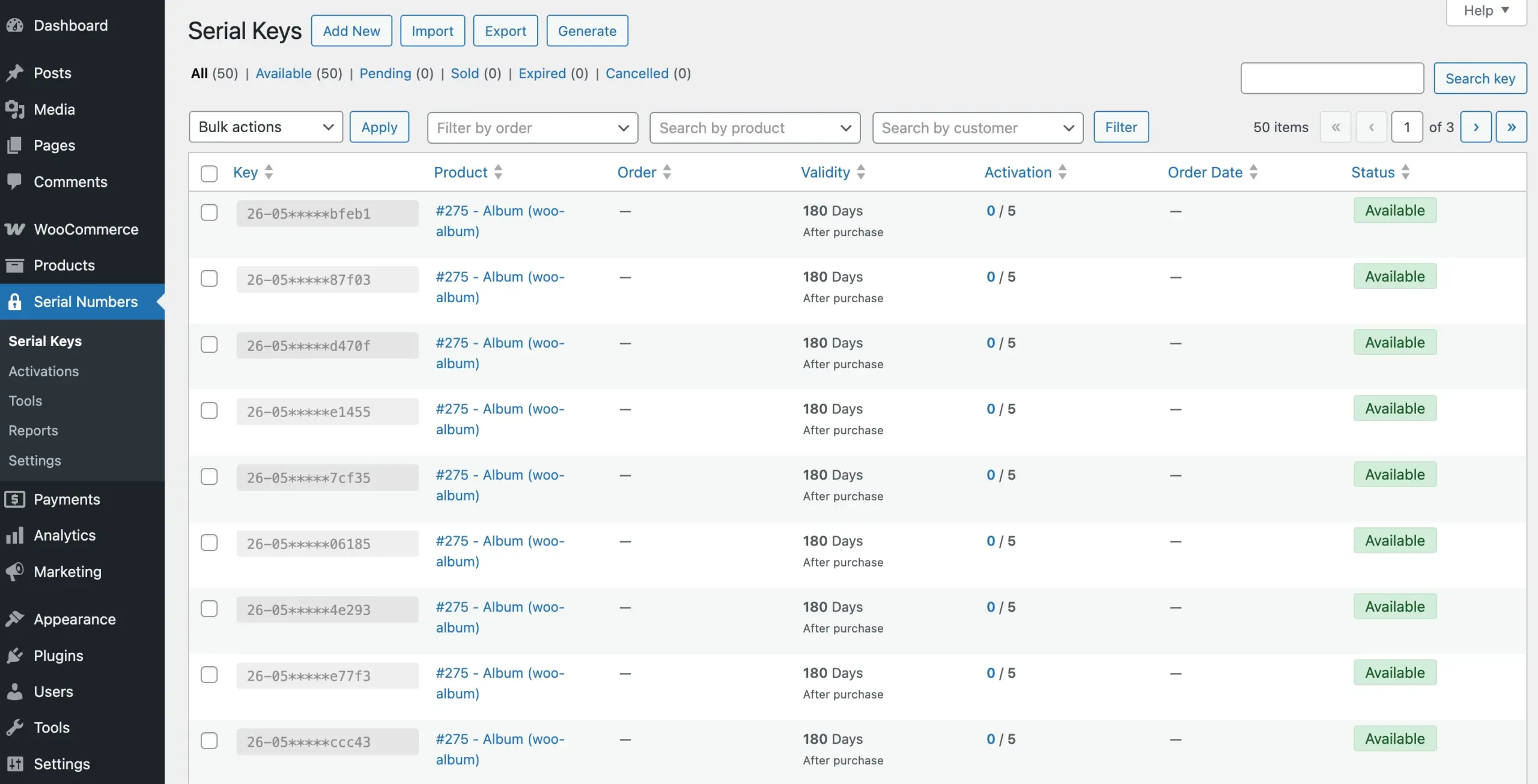
Once you have a generator set up, you can use it to produce a large batch of keys in one click and add them directly to your key pool. This is useful when you want to stock up on keys ahead of incoming orders, rather than generating them one at a time for each purchase.
If you have not created a generator yet, follow the Set Up a Key Generator guide first, then come back here.
Note: Bulk key generation is a feature of WC Serial Numbers Pro. You will need to upgrade to Pro to access it.
Step 1: Open the Generators List
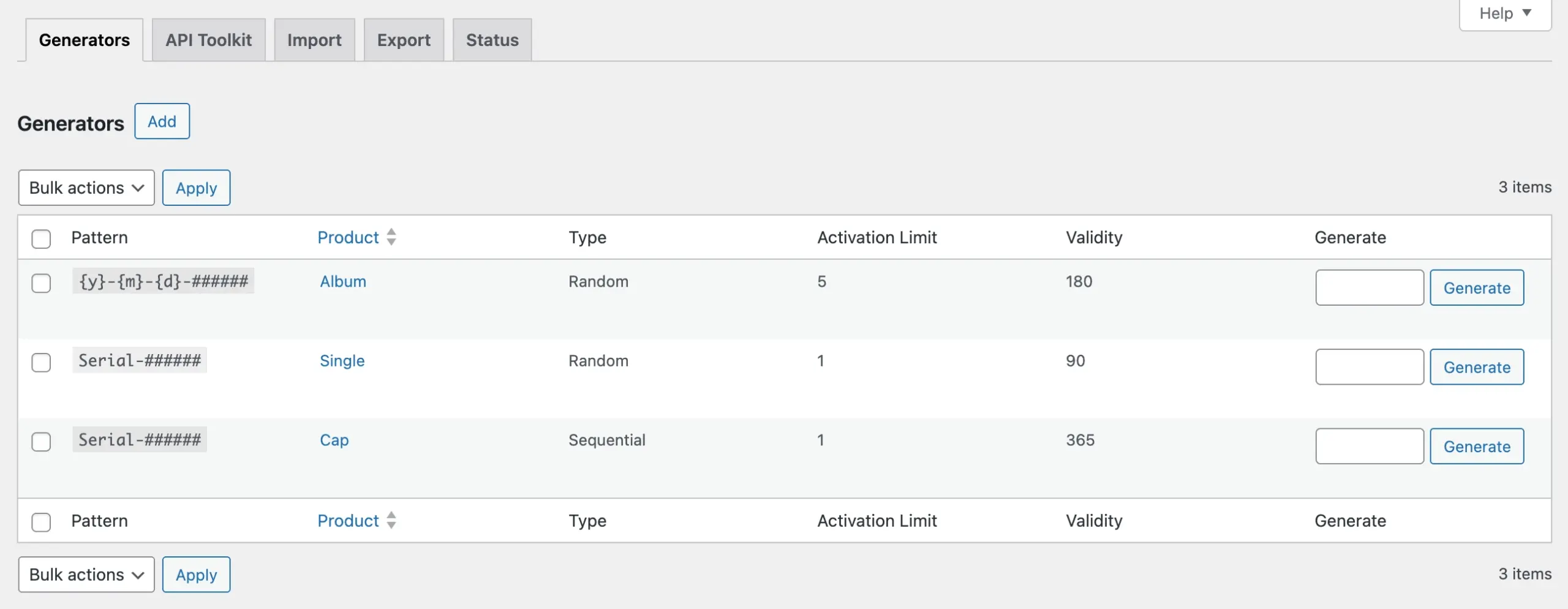
Go to Serial Numbers → Tools → Generators from your WordPress admin sidebar. All your configured generators are listed here.
Step 2: Generate the Keys
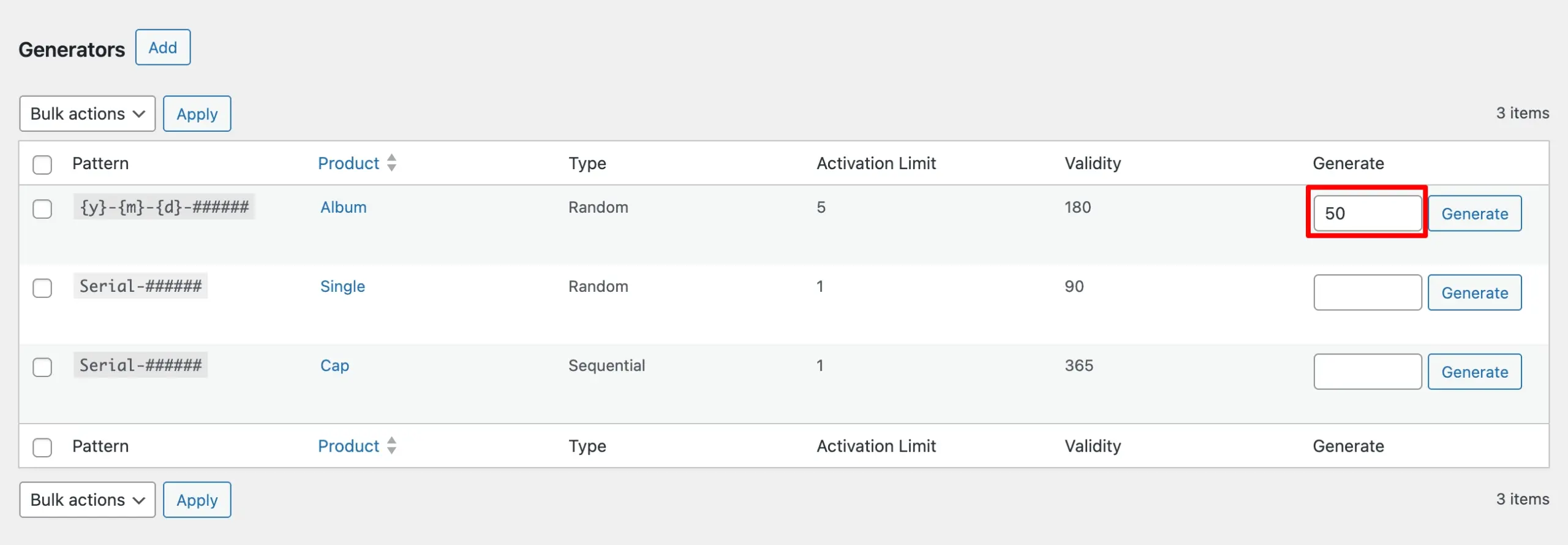
Locate the generator you want to use. In the Generate field next to it, enter the number of keys you want to create. For example, 50 to generate 50 keys at once.
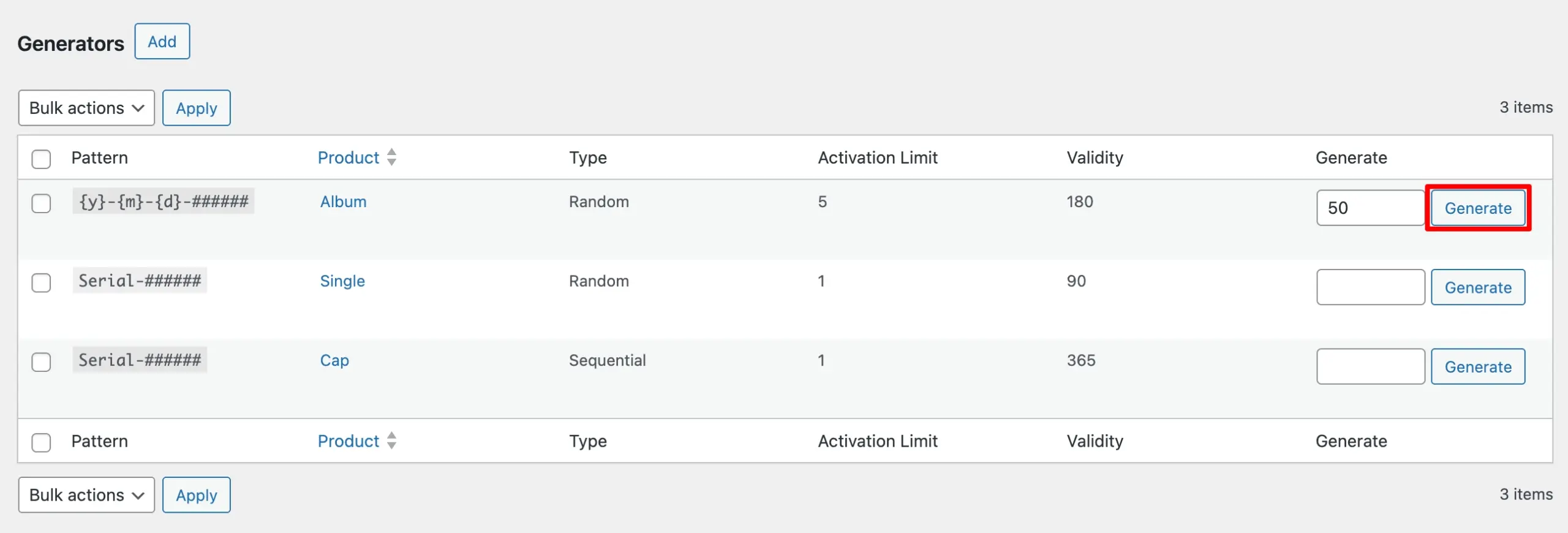
Click Generate. The plugin will immediately create that number of keys using the pattern defined in the generator and add them to your key pool.
Step 3: Verify the Generated Keys
Go to Serial Numbers → Serial Keys to confirm the keys were created successfully. Navigate to the last page of the list, and the newly generated keys will appear there with a status of Available, ready to be delivered to customers.