
WooCommerce ships with three default product tabs, Description, Additional Information, and Reviews, and not every store needs all three showing on every product. Product Tabs Manager lets you turn any of these off store-wide with a single toggle, no code or theme edits required.
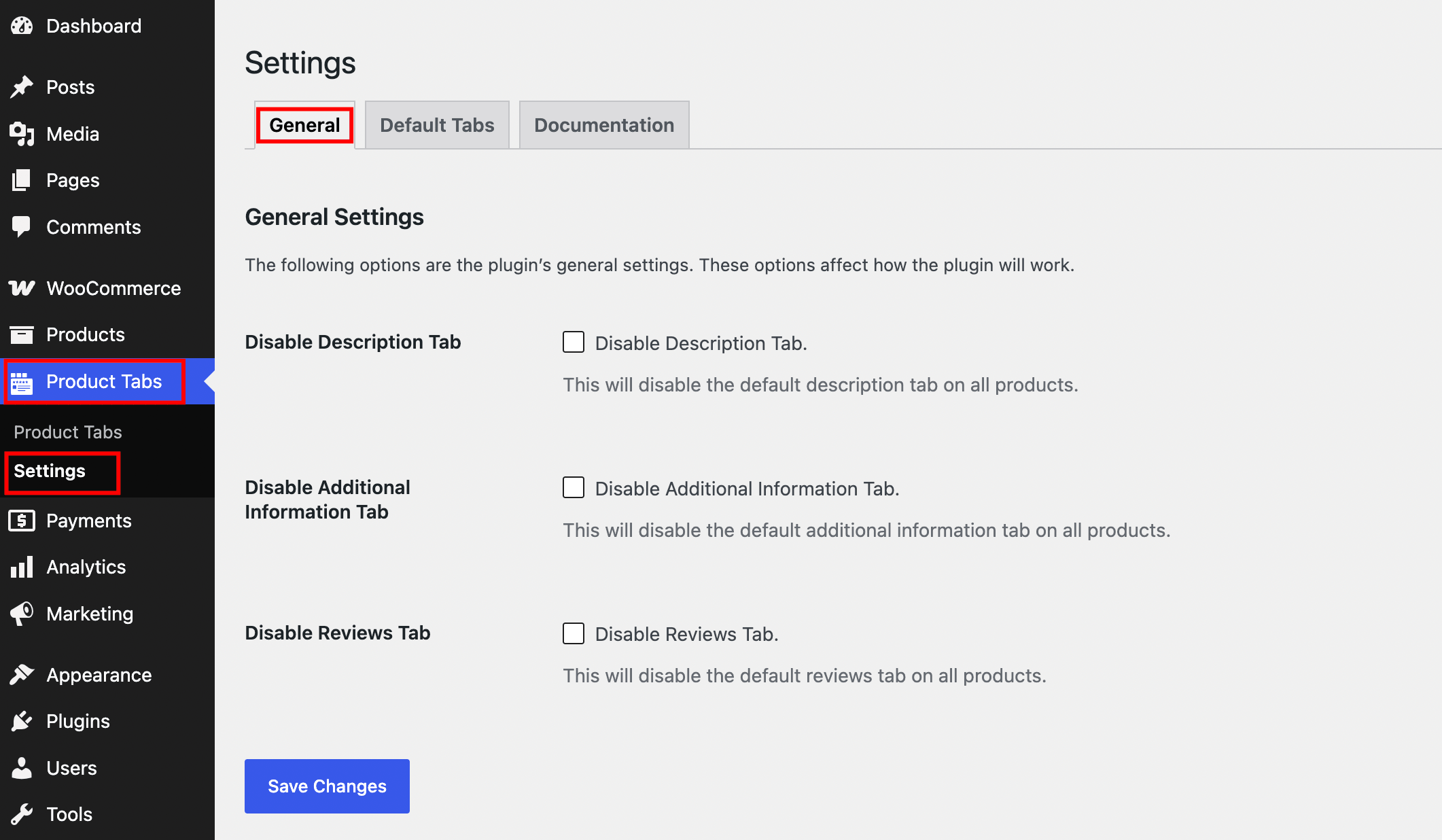
You’ll find these settings by navigating to Product Tabs > Settings > General in your WordPress admin.
Available Settings
Disable Description Tab
Turning this on removes the default Description tab from every product on your site. Use this if you’re displaying product descriptions elsewhere on the page, or if the tab feels redundant for your catalog.

Disable Additional Information Tab
This hides the Additional Information tab, which normally displays product attributes like size, weight, or color. Disable it if you’ve moved attribute data into a custom tab or don’t use product attributes.

Disable Reviews Tab
Turning this on removes the built-in Reviews tab from all products. This is useful if you’re using a third-party reviews plugin with its own display area, or if you don’t collect product reviews at all.

Note: These toggles apply globally, across every product on your store. If you only want to hide a tab on specific products or categories rather than store-wide, use the visibility and exclusion settings on the individual default tab instead.
Saving Your Changes
After toggling the tabs you want to disable, click Save Changes. Visit a product page on the frontend to confirm the tab no longer appears.

What’s Next
Want to reorder the tabs that remain visible instead of hiding them? See Rearrange Default Product Tabs.