
Configure a key generator to automatically produce serial keys for your products using a custom pattern. Useful when you want to generate keys on demand instead of adding them manually.
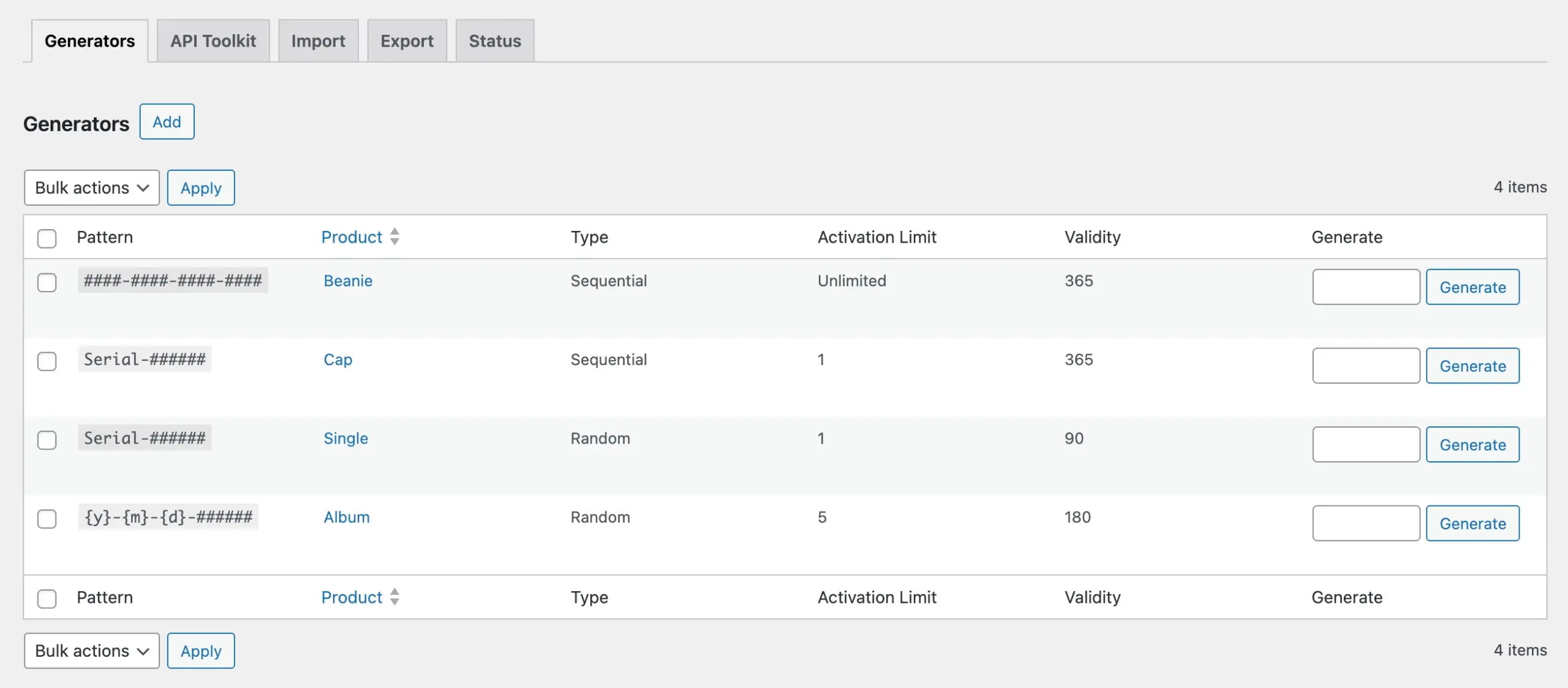
Configuration Steps
- Go to Serial Numbers → Tools → Generators from your WordPress admin menu.
- Click Add to open the Add New Generator page.
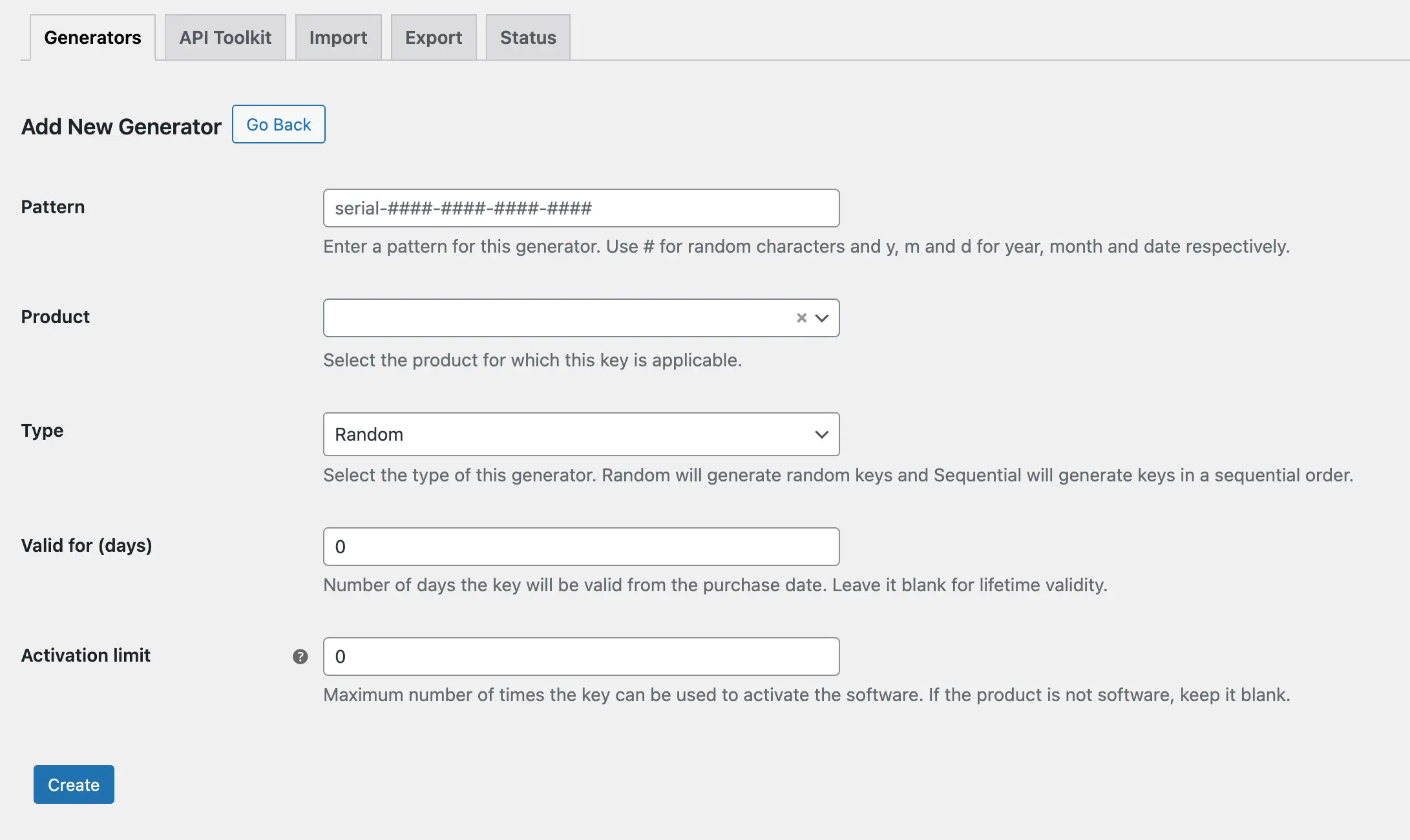
- Fill in the fields as needed. See the Available Options section below for details on each field.
- Click Save. The generator is now created and ready to use.
You can create multiple generator rules for the same product.
Available Options
- Pattern: Define the structure of the generated keys using tokens and the # character. See the Pattern Syntax Reference below for supported tokens.
- Product: Select the product this generator will produce keys for.
- Type: Choose how keys are generated. Sequential produces keys in order, and Random produces keys in a randomized order.
- Valid For (Days): Number of days the key remains valid, counted from the purchase date. Leave blank to grant lifetime validity with no expiration.
- Activation Limit: Sets the maximum number of times the key can be used to activate the software. If the product is not software-based, leave this field blank.
Pattern Syntax Reference
Use the following tokens when building your key pattern:
| Token | Description | Example Output |
|---|---|---|
| # | Single alphanumeric or numeric character | A, 3, Z |
| {y} | Current year | 2026 |
| {m} | Current month | 08 |
| {d} | Current day | 15 |
Examples
Pattern: Serial-######
- Sequential type produces keys like Serial-000001, Serial-000002, and so on.
- Random type produces keys like Serial-A3XK92, Serial-7PMQR1, and so on.
You can also combine date tokens with the # character.
Pattern: {y}-{m}-{d}-######
- Sequential type produces keys like 2026-08-15-000001, 2026-08-15-000002, and so on.