
By default, customers cannot purchase a product when its key stock runs out. Enabling Backorders allows customers to place orders even when there are no keys in stock, giving you time to add the keys to the order after the purchase is made.
Where to Find This Setting
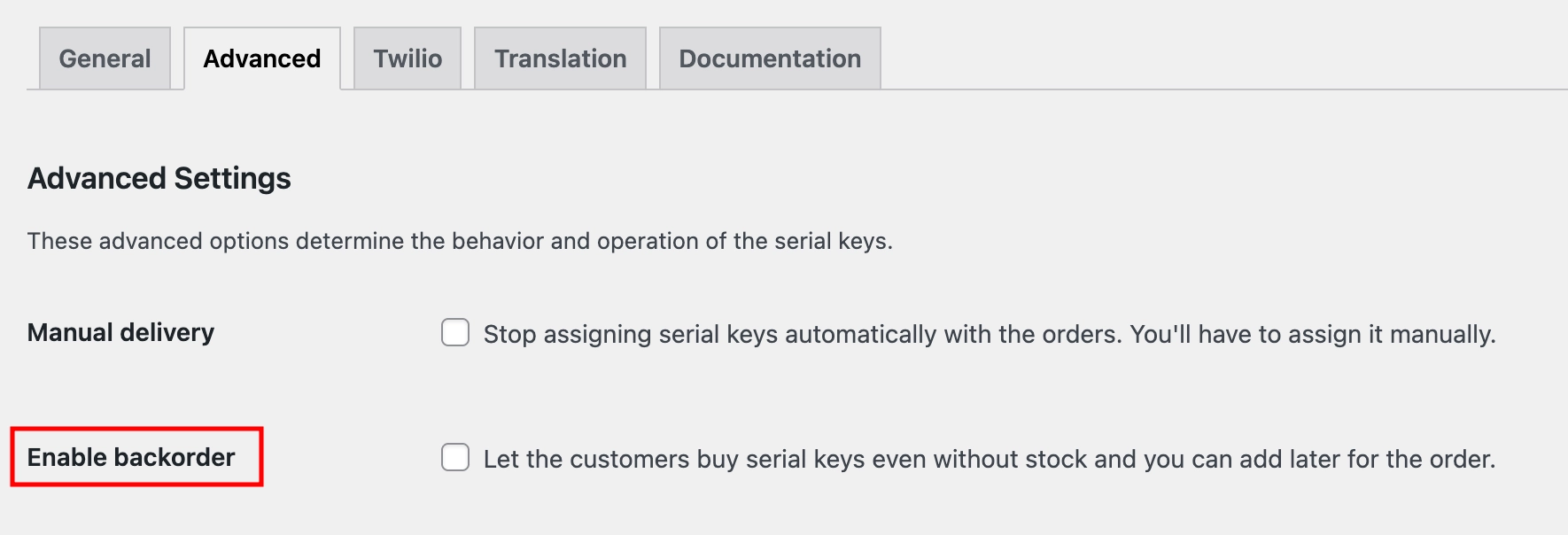
- Go to Serial Numbers → Settings → Advanced from your WordPress admin menu.
- Find the Enable Backorder checkbox and enable it.
What This Setting Does
When enabled, customers can complete a purchase even if no keys are currently in stock for the product. The order will be placed and held until you manually add and assign a key to it.
| Disabled (default) | Customers cannot purchase a product when its key stock is empty. |
| Enabled | Customers can purchase a product even if it’s out of stock. You add and assign the key to the order manually afterwards. |
Make sure to fulfil backorders promptly to avoid delays in key deliveries. Consider setting up Low Stock Alerts to be notified before your stock runs out.