

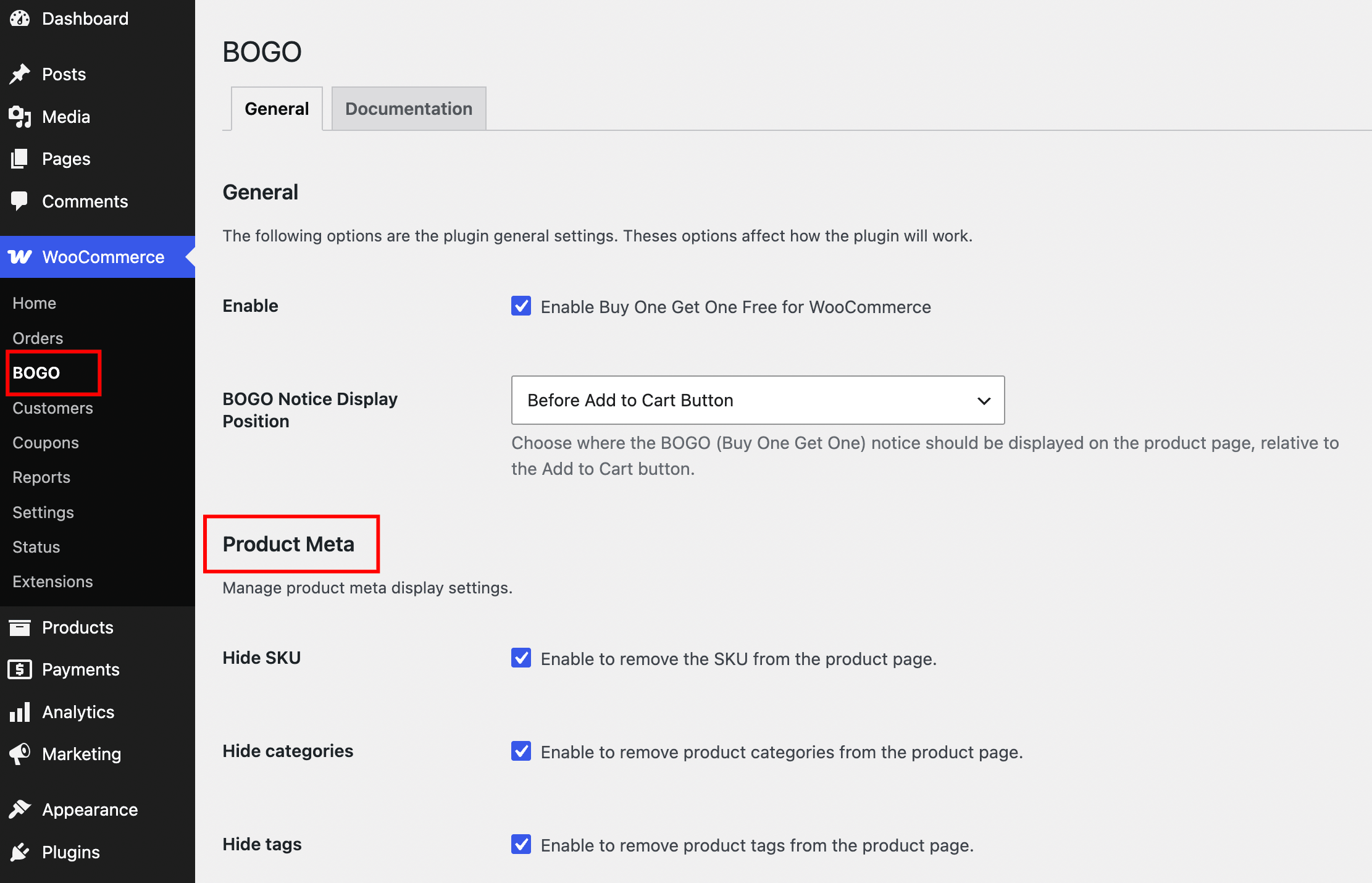
The Product Meta section controls which product details are visible on the frontend of your store. If your theme already displays SKUs, categories, or tags in a way you don’t want duplicated or cluttering the product page, you can hide them directly from here instead of editing your theme.
Before You Begin
BOGO for WooCommerce applies these visibility settings sitewide, so you only need to configure them once rather than on a per-product basis.
This guide covers the Product Meta section specifically. If you haven’t configured the rest of the general settings yet, see the General BOGO Settings guide first.
Step 1: Navigate to the BOGO Settings Page
From your WordPress admin menu, hover over WooCommerce, then click BOGO. You’ll land on the General tab, where the Product Meta section is located.
Step 2: Choose What to Hide
Toggle any of the following options on to hide that detail from the single product page:
Hide SKU
Removes the product’s SKU from the frontend. Useful if your SKUs follow an internal naming convention you’d rather not expose to customers.

Hide Categories
Removes the list of product categories from the frontend. Useful if your category structure is built more for internal organization than customer-facing navigation.

Hide Tags
Removes product tags from the frontend. Useful if tags are used internally for filtering or reporting rather than as a customer-facing feature.

Note: These settings apply sitewide, across every product, not just those with an active BOGO offer. If your theme already controls the display of this meta elsewhere, check for conflicts before enabling these toggles.
Step 3: Save Your Settings
Once you’ve chosen which details to hide, click Save Changes at the bottom of the page.

Step 4: Verify the Change on the Frontend
Open a product page on your store’s frontend and confirm the hidden details no longer appear.