



Turn every cart into an opportunity by rewarding customers with free or discounted gifts the moment they hit your purchase thresholds, then watch inventory move and average order value climb.
Whether you’re moving slow stock, launching a new product, or giving loyal customers a reason to add one more item to their cart, this plugin has you covered. Store owners running seasonal clearances, product launches, or loyalty campaigns will especially love how flexible the reward rules can get.
BOGO for WooCommerce isn’t just about giving something away for free, it’s a promotional engine that turns “Buy One, Get One” psychology into a repeatable growth tool. Turn on the offer directly from the product you want to promote, reward customers with multiple units of the gift, and price that reward exactly how you want, a percentage discount or a fixed price. Let customers pick their own gift from eligible products or entire categories, or structure the deal as a classic 1-for-1 or a more advanced “Buy 5, Get 2“. No coding required.
One of the biggest challenges WooCommerce store owners face is getting customers to buy more without discounting everything storewide. This plugin solves that by rewarding quantity instead of slashing prices, so you clear stock and lift order value while your margins stay intact.
Running BOGO promotions manually means juggling coupon codes, order edits, or clunky workarounds. BOGO for WooCommerce closes that gap: it detects when a cart meets your quantity rule and applies the reward automatically at the cart, exactly how you’ve configured it.
The difference is night and day. Without an automated system, BOGO promos are hard to track and easy to abuse. With this plugin, every offer is rule-based, predictable, and applied instantly at checkout.
How It Works
Before launching a campaign, it helps to understand how the plugin evaluates offers. Each promotion is set up directly on the product you want to offer it on, with a quantity rule that must be met, and a reward, either the same product or one chosen from a product list or category, that the customer receives in return.
- Install & Activate – Add the plugin like any other WooCommerce extension and activate the license.
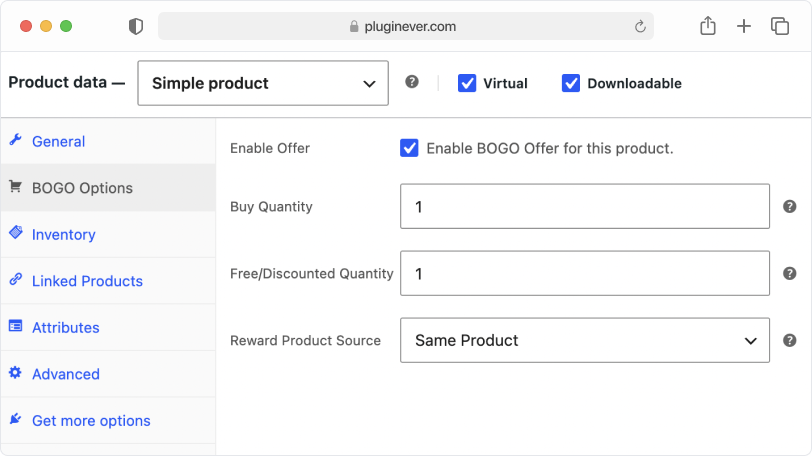
- Configure the Offer – Open the product’s BOGO Options tab, pick the reward, the same product or a curated list of eligible products or categories, then choose Percentage Off or Fixed Price and set how many units a customer must buy to unlock it, whether that’s 1-for-1 or a bulk structure like 5-for-2.
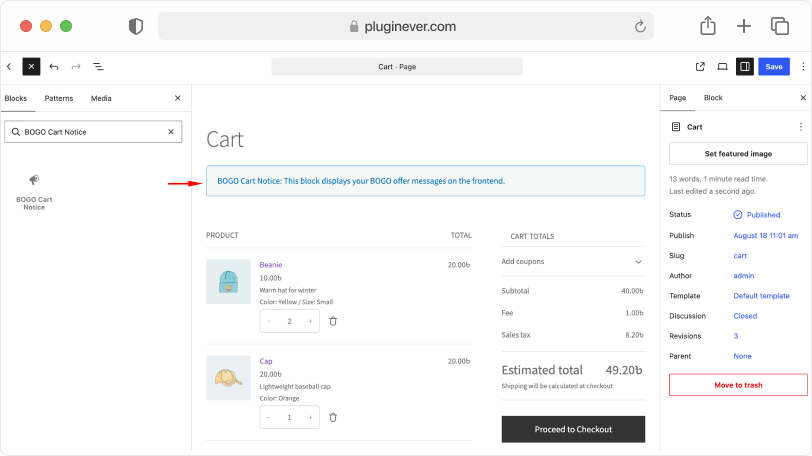
- Add the Cart Notice Block – If your store uses the WooCommerce Cart block, add the BOGO Cart Notice block to your cart page so customers can see their progress toward the reward.
- Test & Launch – Add qualifying products to your cart to confirm the offer triggers correctly, then go live.
Key Features
This plugin combines flexible promotion logic with a setup process that takes minutes, not hours.
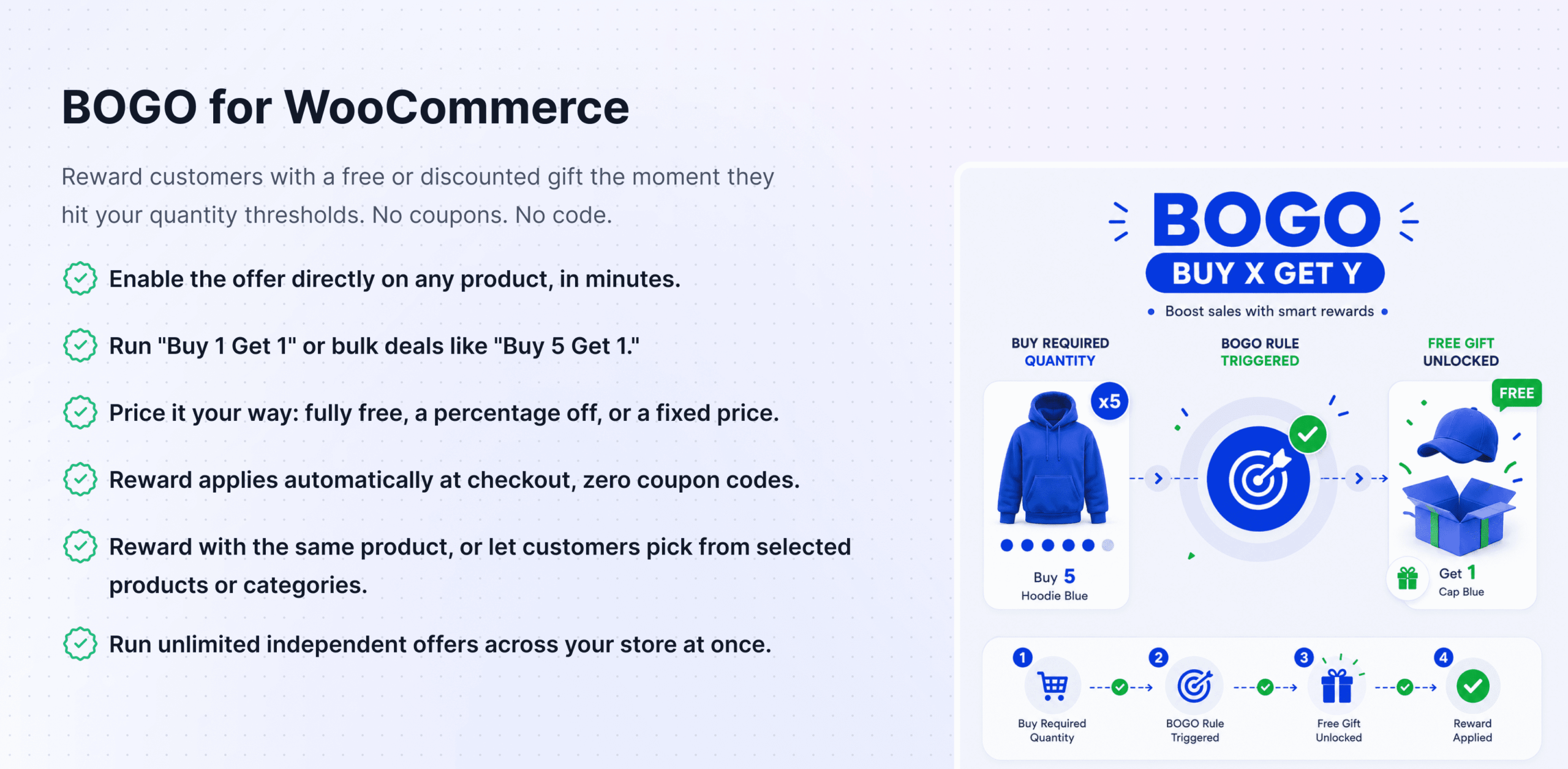
Enable the offer directly on any product’s edit screen, with quantity rules that activate once customers meet your criteria. Rewards can include multiple units of the reward product, not just a single free item.
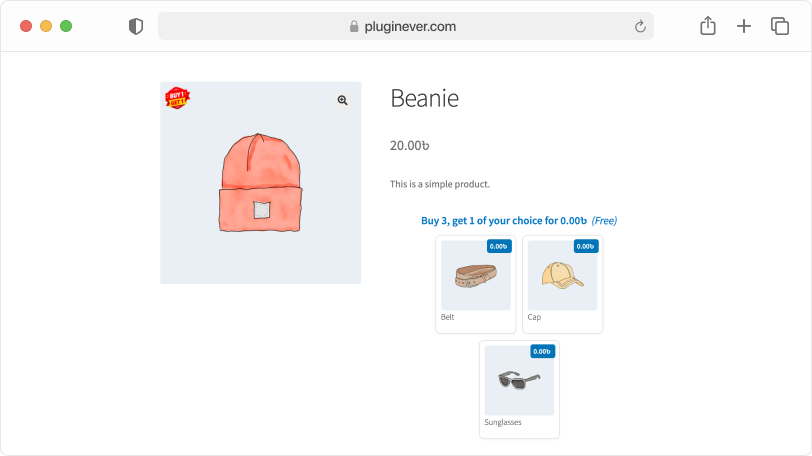
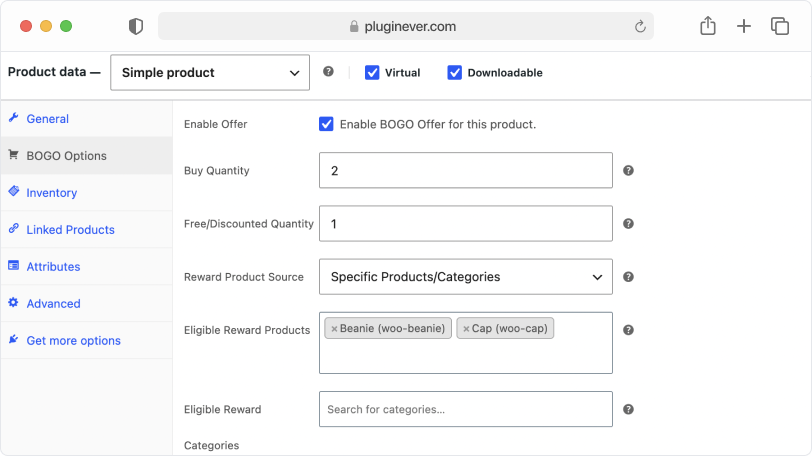
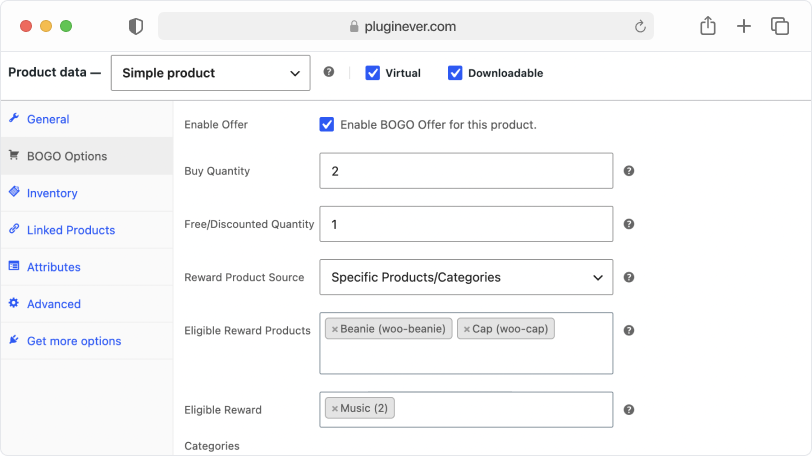
Set eligible rewards at the product level with Eligible Reward Products, the category level with Eligible Reward Categories, or both.
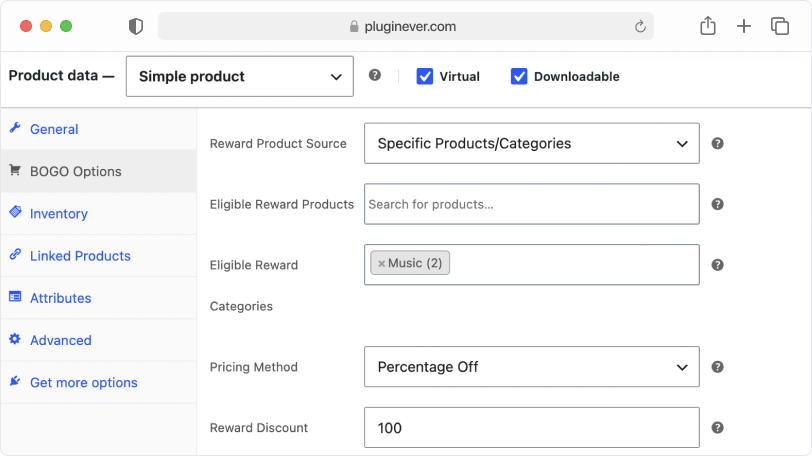
Choose Percentage Off to knock a set percentage off the offered product’s price, or Fixed Price to set an exact price, whether that’s a steep discount or completely free.
Run a classic “Buy 1 Get 1 Free” sale or structure advanced quantity-based offers like “Buy 2 Get 1” or “Buy 5 Get 2” to match your inventory and margin goals.
Every BOGO setting – the offer toggle, pricing method, eligible rewards, and quantity rules – can be configured on individual product variations, not just simple products.
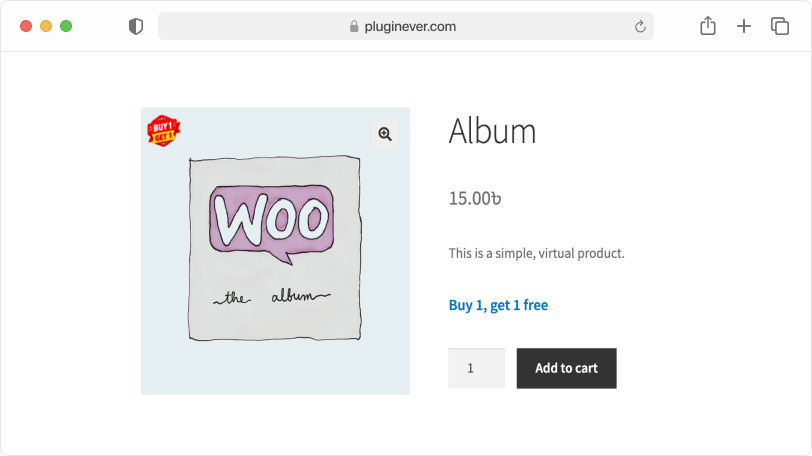
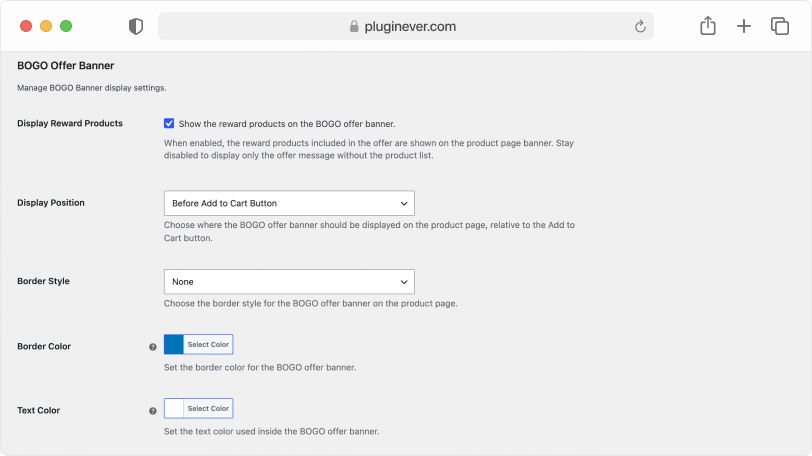
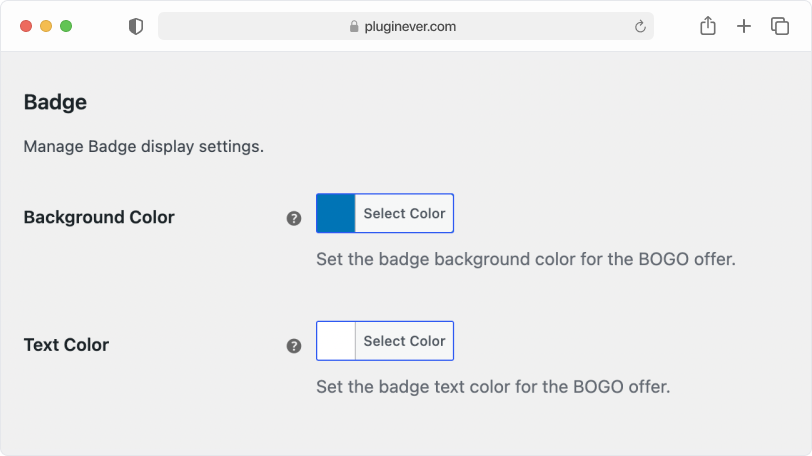
Control exactly how the offer notice looks on the product page, its position relative to the Add to Cart button, border style, border color, and text color, so it matches your store’s branding.
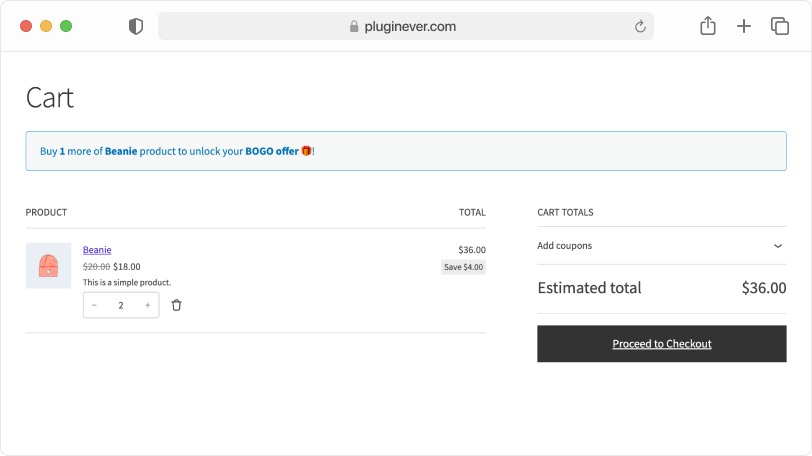
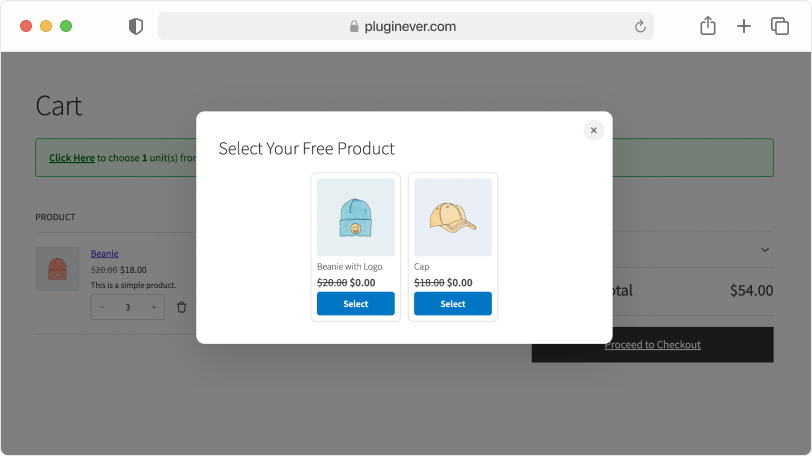
A dedicated BOGO Cart Notice block shows customers how many more units they need to add to qualify, and once they do, lets them pick their reward product without leaving the cart page.
The intuitive interface lets you configure and launch a BOGO deal in minutes, with no complex coding or technical expertise required.
Buy X, Get Y Promotions in WooCommerce
This is where the plugin really earns its keep. Define exactly which products trigger an offer, how many units unlock the reward, and how many units the customer walks away with, no coupon code, no manual math. Scale it from a simple “buy 1 get 1” to a wholesale-style bulk deal, a seasonal push, or a new product launch, all with the same setup.
Flexible Quantity Structures
Move a single slow-selling SKU or drive bulk purchases across your whole line, the choice is yours. Quantity-based rules scale up or down to fit the goal, and with full variation-level support, you can get just as specific as a single size or color.
Flexible Reward Pricing
Why give everything away when you can dial it in? Fine-tune the value of the reward itself: a Percentage Off nudges customers toward a pricier item at a price that still feels like a steal, while a Fixed Price puts you in total control, perfect for a $1 add-on upsell or a reward that’s genuinely free.
Customer-Selected Gifts, by Product or Category
Stop guessing which “free gift” your customers actually want. Hand them a list of eligible products, or open it up to an entire category, and let them choose. It turns a one-size-fits-all promotion into a shopping experience that feels personal, and personal converts.
Benefits
Here’s what a well-run BOGO strategy actually does for your bottom line.
Drive Conversions: Give hesitant shoppers the nudge they need. Immediate, tangible value is hard to say no to, and it turns browsers into buyers.
Increase Average Order Value (AOV): Every quantity threshold is an invitation to add one more to the cart. Customers chase the reward, your AOV climbs.
Enhance Customer Experience: A rewarding shopping journey doesn’t just close the sale, it makes customers feel valued, and valued customers come back.
This plugin gives you the promotional flexibility a modern WooCommerce store needs to compete: clear inventory, launch new products, and build loyalty, all without discounting your entire catalog.
Use Cases
Whatever the promotion, there’s a BOGO structure for it.
New Product Launch
Pair a new item with an established bestseller as a free or discounted gift, and let your best-selling product do the introducing. Low risk for the customer, fast traction for you.
Seasonal Clearance
Don’t let unsold seasonal stock eat into next quarter’s shelf space. Quantity-based BOGO rules move it out before the new inventory arrives.
Loyalty & Retention Campaign
Give your repeat customers a reason to keep coming back: a reward of their own choosing, unlocked the moment they hit their usual quantity on the products they already love.
Wholesale-Style Incentive
Drive bulk purchasing without touching your unit prices. A “Buy 5, Get 1” or “Buy 6, Get 2” structure moves volume while your margins stay exactly where you set them.
Frequently Asked Questions
Here are some of the most common questions we get from real users.
Can I offer a different product as the free gift instead of the same one?
Yes, you can set Reward Product Source to Specific Products/Categories and choose one or more items customers can receive as their reward, either as individual products or an entire category.
Can customers choose which reward they receive?
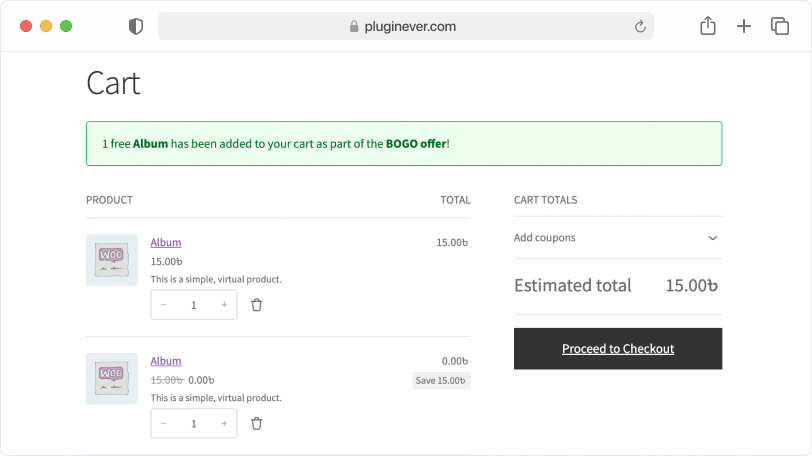
Yes, when you offer multiple reward products or an eligible category, customers can click the link in the BOGO Cart Notice to open the reward list and select their preferred one.
Do rewards always have to be free?
No. You can choose Percentage Off to offer the reward at a reduced price, or Fixed Price to set an exact price, including $0 if you want it fully free.
Can I include an entire category as the reward, instead of picking individual products?
Yes, use Eligible Reward Categories to make every product within a chosen category available as a reward, alongside or instead of individually selected products.
Does the plugin support offers beyond a simple 1-for-1 structure?
Yes, you can configure quantity-based rules like “Buy 2 Get 1,” “Buy 5 Get 1,” or “Buy 5 Get 2” to match your promotional goals and reward customers with more than one unit of the reward.
Does BOGO for WooCommerce work with product variations?
Yes, all BOGO settings, including pricing method and eligible rewards, can be configured on both variable products and individual product variations.
Where does the BOGO notice appear on the product page?
You can choose to display it either above or below the Add to Cart button, along with its border style and colors, from the Banner settings.
Can I set up more than one BOGO offer at a time?
Yes, you can enable the offer individually on any number of products across your store.
Can I show a badge on products with an active BOGO offer?
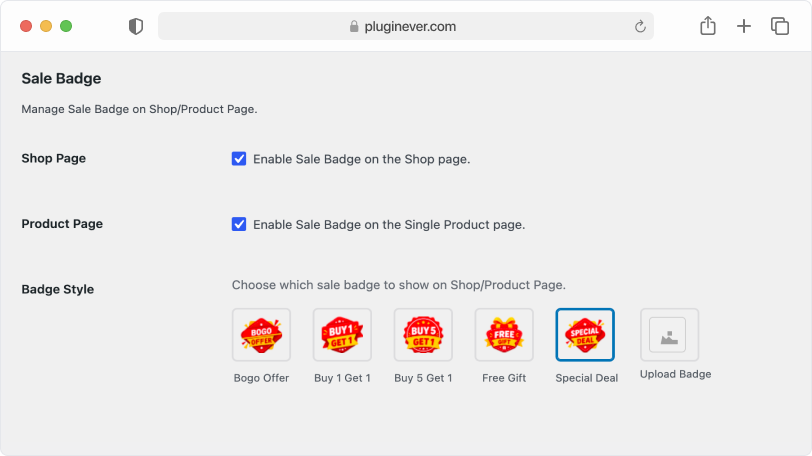
Yes, the Sale Badge feature lets you display a badge, like “Buy 1 Get 1” or “Free Gift,” on the shop page, the single product page, or both. Choose from several preset styles or upload your own custom badge image.
Can customers see how close they are to unlock a reward?
Yes, adding the BOGO Cart Notice block to your Cart page shows customers how many more units they need to add to qualify, along with the available reward products. Once they qualify, the notice lets them pick their reward directly from the cart.
Can customers change the quantity of the reward they receive?
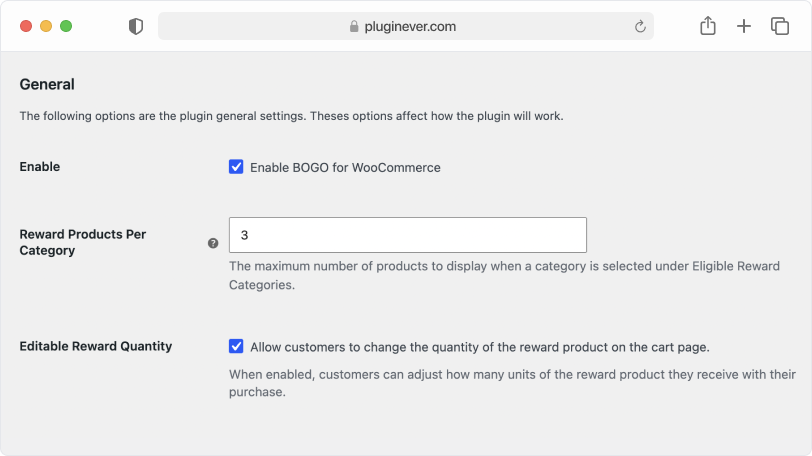
Yes, if you enable this option in the plugin’s settings, customers can adjust how many units of the reward they want, right from the cart page, instead of always receiving the full configured quantity.