
This guide walks you through setting your first quantity limit from start to finish, so you can see how the plugin works in just a few minutes.
Before You Begin
Make sure WC Min Max Quantities is installed and activated on your WordPress site, and that you have at least one product created in WooCommerce.
Step 1: Set a Global Limit
The quickest way to see the plugin in action is to set a global limit. A global limit applies to every product in your store at once, no product-by-product setup needed. It is the fastest way to enforce a consistent rule storewide.
Go to WooCommerce → Min Max Quantities → General from your WordPress admin menu.
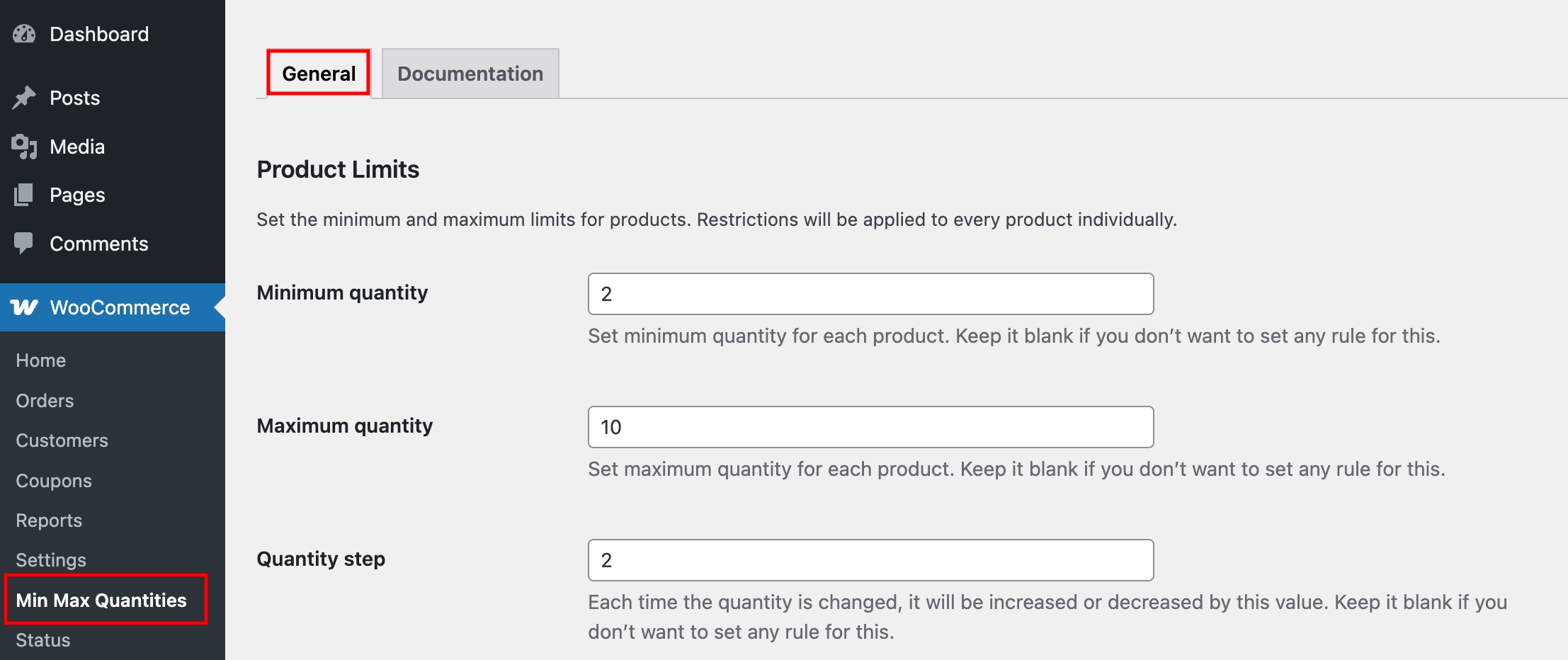
Locate the Product Limits section. You will see a set of fields for controlling quantity limits across your entire store.
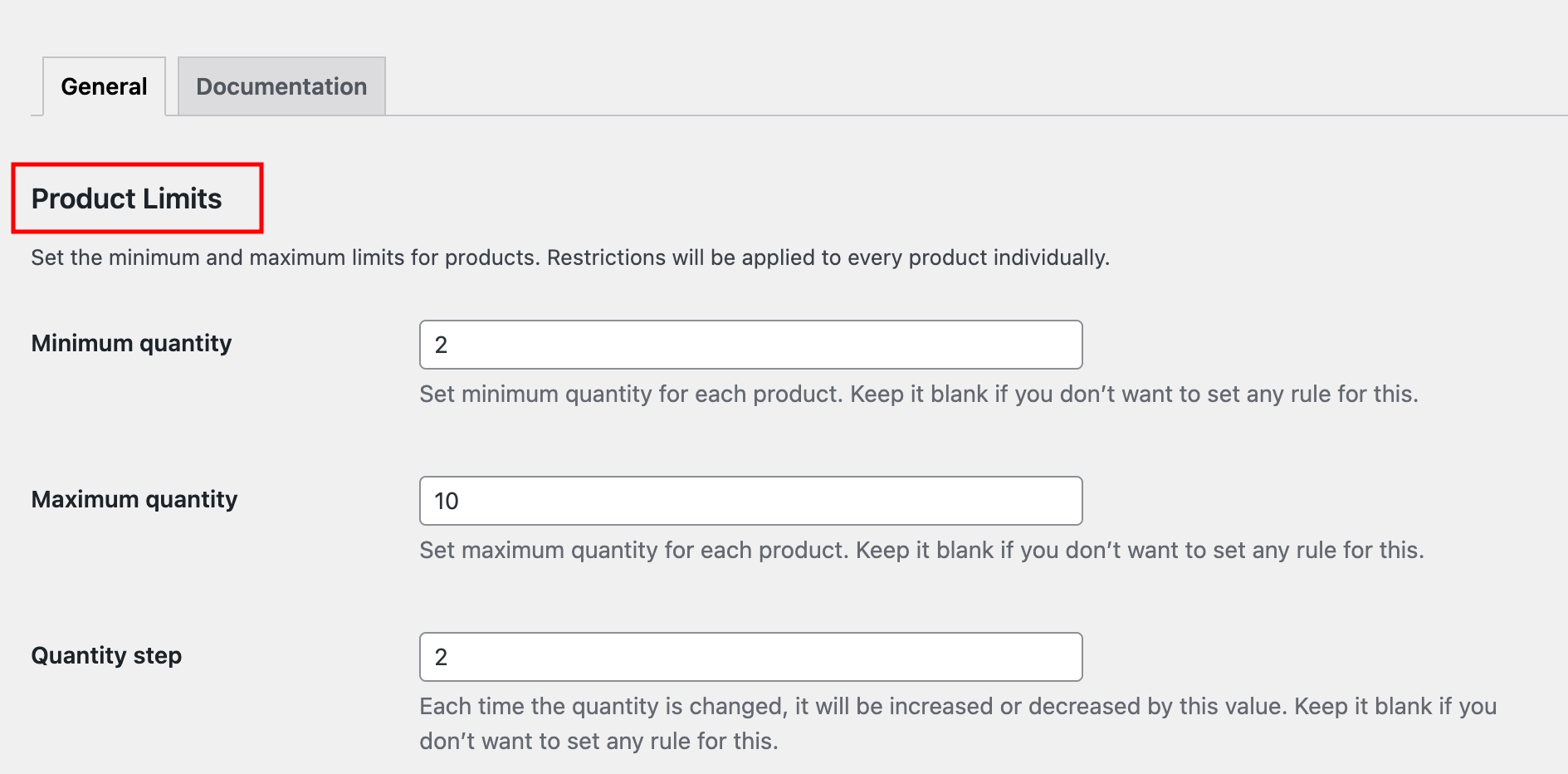
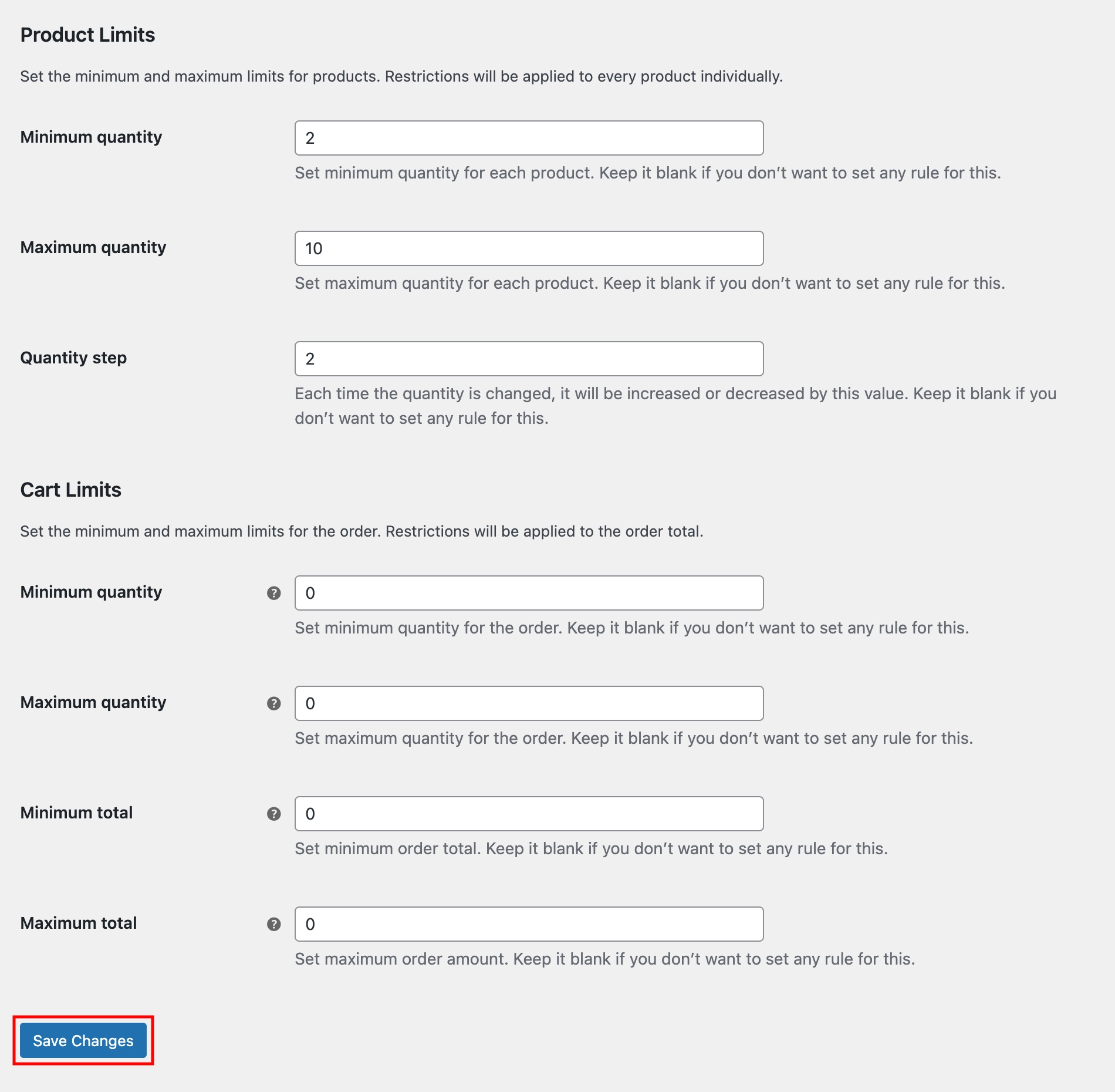
Enter a value in the Minimum Quantity field – for example, 2. This means customers must purchase at least 2 units of any product. Set the Maximum Quantity to 10 to cap how many units a customer can purchase at once. You can also set a Quantity Step to force purchases in specific increments – for example, setting it to 2 means customers can only buy 2, 4, 6, 8, or 10 units, not anything in between.
Now, click Save Changes to apply the rule.
Step 2: See the Limit in Action
With the global rule saved, go to your store’s front end and open any product page. You will notice that the quantity field now enforces the rules you just set: the value cannot go below 2 or above 10, and it increments in steps of 2.
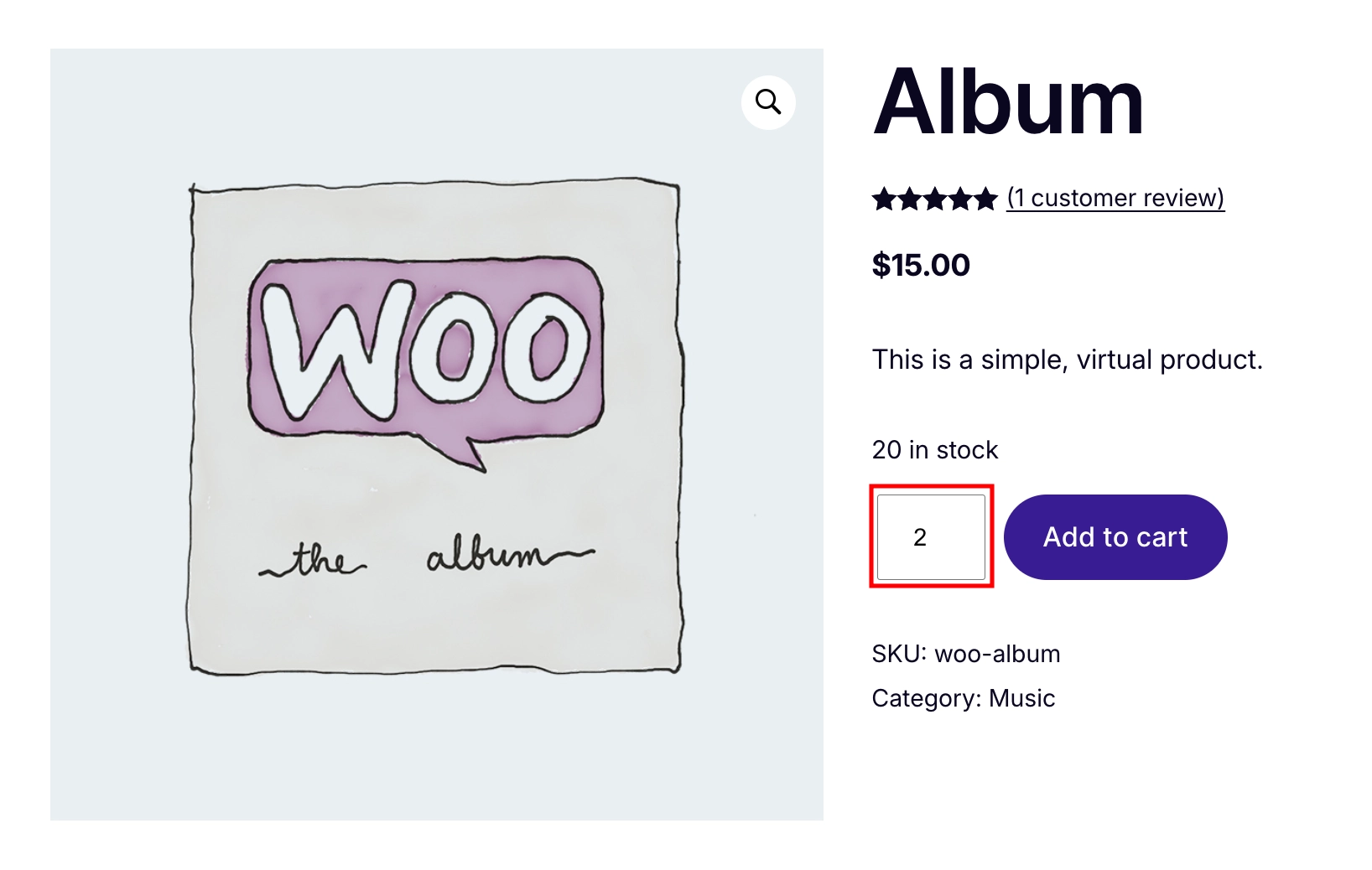
That is it, your first quantity limit is live and working across your entire store.
How Global Limits Work
Global limits are the foundation of the plugin; they apply storewide unless a more specific rule overrides them. The plugin checks rules in the following order, from highest to lowest priority:
Role-Based → Product Variation → Product → Category → Global
This means that if you set a global maximum of 10 units but a product-level maximum of 3 units, that product will follow the product-level rule. The global limit only applies where no other rule exists.
What’s Next
Now that you have seen how the plugin works, here are the guides to help you set up more targeted rules for your store:
- Product-Level Limits — Override the global rule for a specific product with its own minimum, maximum, or step quantity.
- Category-Level Limits — Apply a single rule to an entire product category at once. (Pro)