


Most WooCommerce store owners discover the plugin problem the same way. You need quantity limits for your wholesale orders, so you buy one plugin. Then you need license key delivery for your software products, so you buy another. Then category navigation, variation display, and WhatsApp notifications. Six months later you have five to seven separate plugin subscriptions from five to seven different vendors, five to seven renewal dates to track, and five to seven support inboxes that each answer on different timescales and business hours.
This is the exact problem a WooCommerce plugin bundle solves. One purchase. One vendor. One renewal. One support team that knows all the plugins you are using because they built all of them.
But before you buy anything, there is an important distinction to make.
What “WooCommerce Plugin Bundle” Actually Means
This phrase has two completely different meanings depending on the context, and confusing them will send you to the wrong product entirely.
Product bundle plugins help you group your own store’s products together for sale. Think selling a camera, bag, and lens as one package deal at a discounted price. Plugins like WooCommerce Product Bundles, WowRevenue, YITH WooCommerce Product Bundles, and Bundler all fall into this category. They help you bundle what you sell to your customers.
Plugin suite bundles are all-access packages where a plugin vendor sells you multiple plugins together at a significant discount compared to buying each one separately. Think buying 38+ WooCommerce utility plugins for one annual price instead of paying individually for each tool. The PluginEver All Access Suite is the leading example of this.
This article covers the second type: the best WooCommerce plugin bundle deals for store owners, freelancers, and agencies who need multiple functionality plugins running their store without paying a separate subscription for every single one.
If you are looking for a tool to sell gift sets, kits, or product packages to your customers, WooCommerce Product Bundles is the plugin you need. If you want a single package that gives your WooCommerce store quantity controls, license delivery, category navigation, wholesale pricing, and more — this guide is for you.
Why WooCommerce Stores Need Multiple Plugins
WooCommerce ships with solid core functionality. But the gap between what WooCommerce does natively and what a professional, conversion-optimized store requires is significant.
Here is what WooCommerce does not handle out of the box in 2026:
Quantity controls. WooCommerce lets any customer add any quantity of any product to their cart. For wholesale stores, subscription boxes, or limited edition products, this creates real operational problems — unprofitable small orders, overselling, and customers bypassing bulk pricing rules.
License key and serial number delivery. If you sell software, digital licenses, game keys, or any product with a secret code, WooCommerce has no native delivery system. You either build custom functionality or install a dedicated plugin.
Category navigation design. WooCommerce’s default category display is a text list or a plain image grid. Neither is designed to drive category clicks or increase browsing depth. High-performing stores use custom sliders and showcase layouts.
Product variation display. WooCommerce hides all product variations — colors, sizes, styles — behind the parent product listing. Shoppers on category pages and search results see one product entry, not the individual variations they might actually want. This directly reduces both conversion rate and SEO reach.
Wholesale pricing and roles. Running a B2B channel alongside a retail store requires role-based pricing, minimum order rules by user type, and wholesale-specific checkout behavior. WooCommerce supports none of this natively.
Real-time order notifications. WhatsApp is the primary communication channel for order updates in many markets. WooCommerce’s native notification system is email-only.
A store that needs solutions for all six of these gaps is looking at $300 to $700 per year in individual plugin subscriptions, depending on the vendor and site count. That is before considering multi-site licensing, which multiplies costs further.
This is why a plugin bundle makes financial and operational sense for any store managing more than two or three specialty plugins.
What to Look for in a WooCommerce Plugin Bundle
Not all plugin bundles are the same. Before evaluating any specific option, here are the criteria that actually determine whether a bundle is worth buying.
WooCommerce-specific focus. Some plugin vendors sell general WordPress bundles that happen to include one or two WooCommerce tools. A bundle built specifically around WooCommerce will cover the gaps that matter to store owners, rather than padding the count with plugins you will never use.
Catalog depth and relevance. Count the plugins you will actually activate. A bundle of 80 plugins where only 4 apply to your store is a worse deal than a bundle of 40 plugins where 15 are directly useful.
Future plugin inclusion. The most valuable bundles include all future releases at no additional cost. Your store’s plugin needs will evolve, and a bundle that locks you into its current snapshot does not grow with you.
Single-vendor compatibility. Plugins from the same vendor are tested to work together. Mixing plugins from five different vendors introduces the risk of conflicts, incompatible hooks, and overlapping functionality that nobody is responsible for resolving.
Support quality. A plugin bundle is only as good as its support team. One vendor supporting everything you have installed is a significantly better support experience than opening five separate tickets with five separate companies every time something breaks.
Licensing clarity. Check whether the bundle covers client sites or only your own. Many bundles restrict licenses to single sites. Freelancers and agencies need multi-site or unlimited coverage to make a bundle economically viable.
Refund policy. A 30-day money-back guarantee is the minimum acceptable. Any bundle without a money-back window is a risk that is not necessary to take.
The Best WooCommerce Plugin Bundle in 2026: PluginEver All Access Suite
PluginEver has been building WooCommerce-specific plugins since 2016. Over that time they have released more than 38 plugins, all built for WooCommerce stores, with a combined active install base of over 30,000 store owners. The All Access Suite packages every plugin they have built and every plugin they will build, under a single annual license.
Here is the current pricing structure:
| Plan | Sites | Annual Price | Per Site Cost |
|---|---|---|---|
| Personal | 1 site | $399 | $399 |
| Developer | 5 sites | $499 | ~$100 |
| Agency | Unlimited | $799 | Scales down with every site |
The value becomes clear when you compare against individual purchases. WC Serial Numbers Pro alone costs $99 per year for one site. WC Wholesale Manager Pro costs another $99. Add WC Min Max Quantities Pro ($49), WC Category Slider Pro ($49), WC Show Single Variations ($49), and WC Category Showcase Pro ($49), and you are already at $394 for just six of the 38+ included plugins. The Personal plan at $399 covers all 38+.
For the Developer plan at $499, a freelancer managing five client sites who needs even two of those plugins across all sites would pay $250 to $500 annually just for those two plugins individually. The bundle pays for itself at one or two client sites.
What Is Inside the All Access Suite: Plugin-by-Plugin Breakdown
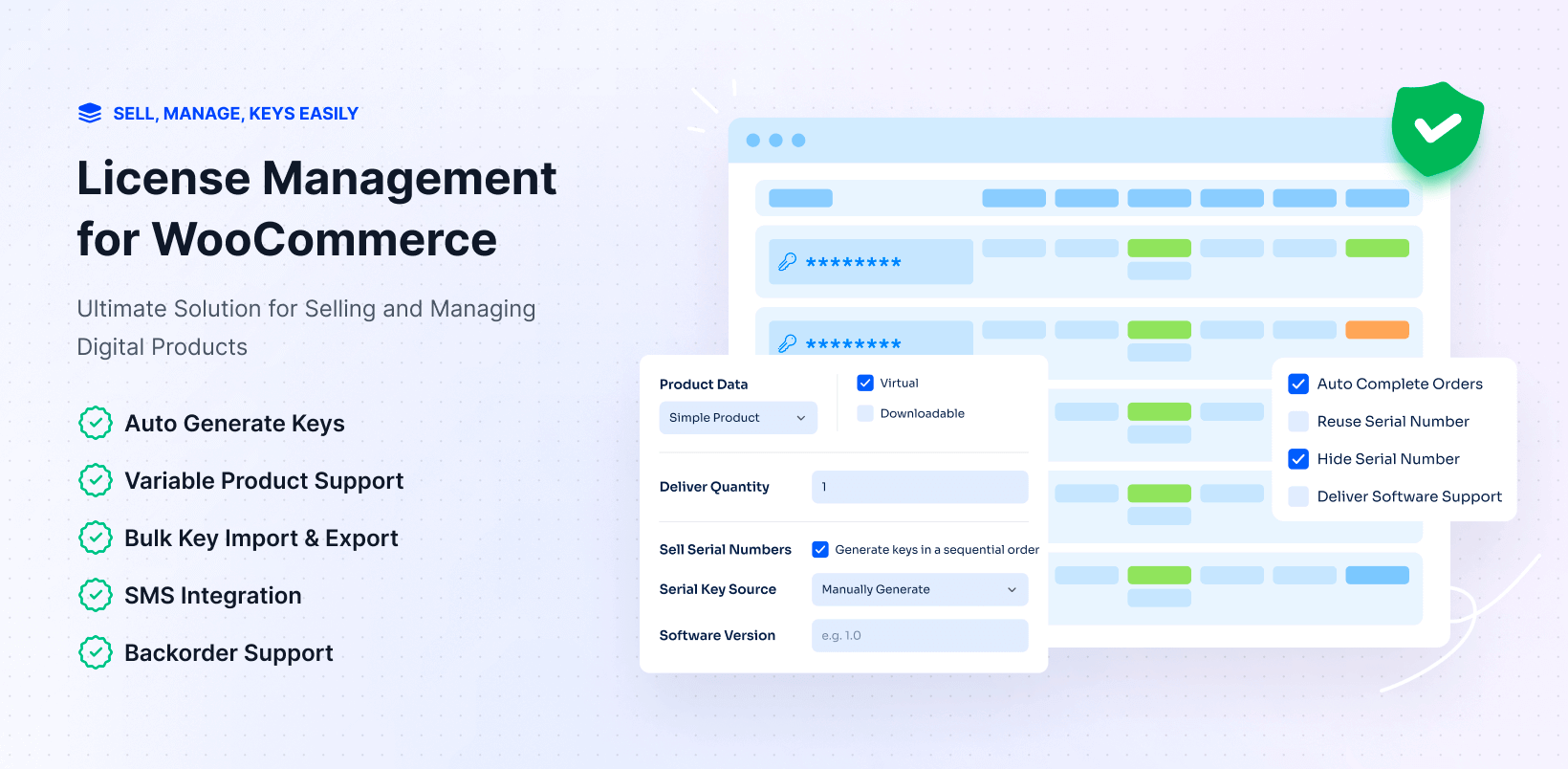
WC Serial Numbers Pro
WooCommerce has no built-in way to deliver license keys, serial codes, or activation codes on purchase. WC Serial Numbers Pro handles this from end to end.
You can add keys manually, import them in bulk via CSV or TXT, or use the built-in generator to create keys automatically with custom formats, prefixes, and expiration rules. Delivery happens via the order confirmation email, the order details page, or SMS through Twilio integration. For API-enabled software products, customers can validate and activate keys through a REST API without logging into your store.
Stock management is built in — you get low-stock alerts, backorder handling for when pre-loaded keys run out, and the option to reuse keys from cancelled or refunded orders. All keys are stored encrypted in the database.
The free version on WordPress.org covers manual key entry and basic delivery. The Pro version — included with every All Access plan — adds bulk import, API validation, variable product support, encrypted storage, Twilio SMS, and subscription product support.
Useful for: software companies, game key resellers, pre-paid service code delivery, warranty serial management, digital coupon delivery.
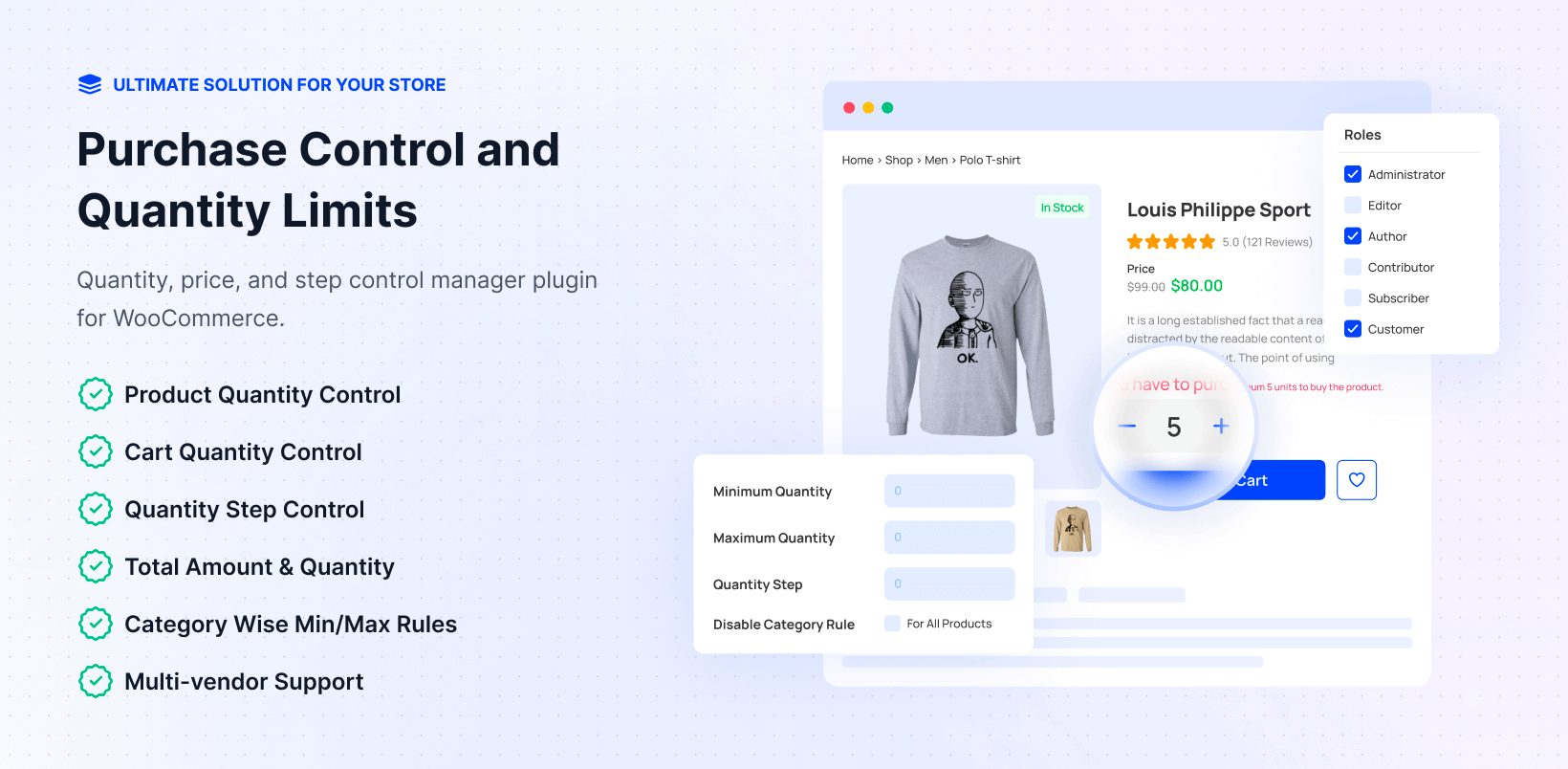
WC Min Max Quantities Pro
WooCommerce’s default cart accepts any quantity. WC Min Max Quantities Pro adds enforcement at five levels: global, category, product, variation, and user role. The rule hierarchy — Role wins over Variation, which wins over Product, which wins over Category, which wins over Global — means you can run complex B2B and retail setups from a single settings panel without touching code.
Practical examples of what this enables:
- Set a minimum order quantity of 24 for wholesale buyers while retail customers see no minimum on the same product
- Force purchase in multiples of 5 for subscription box items
- Limit a seasonal product to 2 per order to prevent stockout during a flash sale
- Set a minimum cart total for specific user roles to prevent unprofitable small B2B orders
- Apply minimum total after discount, so coupon codes cannot bypass your order minimums
The free version handles global limits and basic product-level rules. The Pro version adds role-based rules, category rules, variation-level limits, order-level restrictions, multivendor marketplace support (Dokan, WCFM, MultiVendorX), and the minimum total after discount feature.
Useful for: wholesale stores, subscription boxes, B2B suppliers, limited edition product releases, any store with minimum viable order requirements.
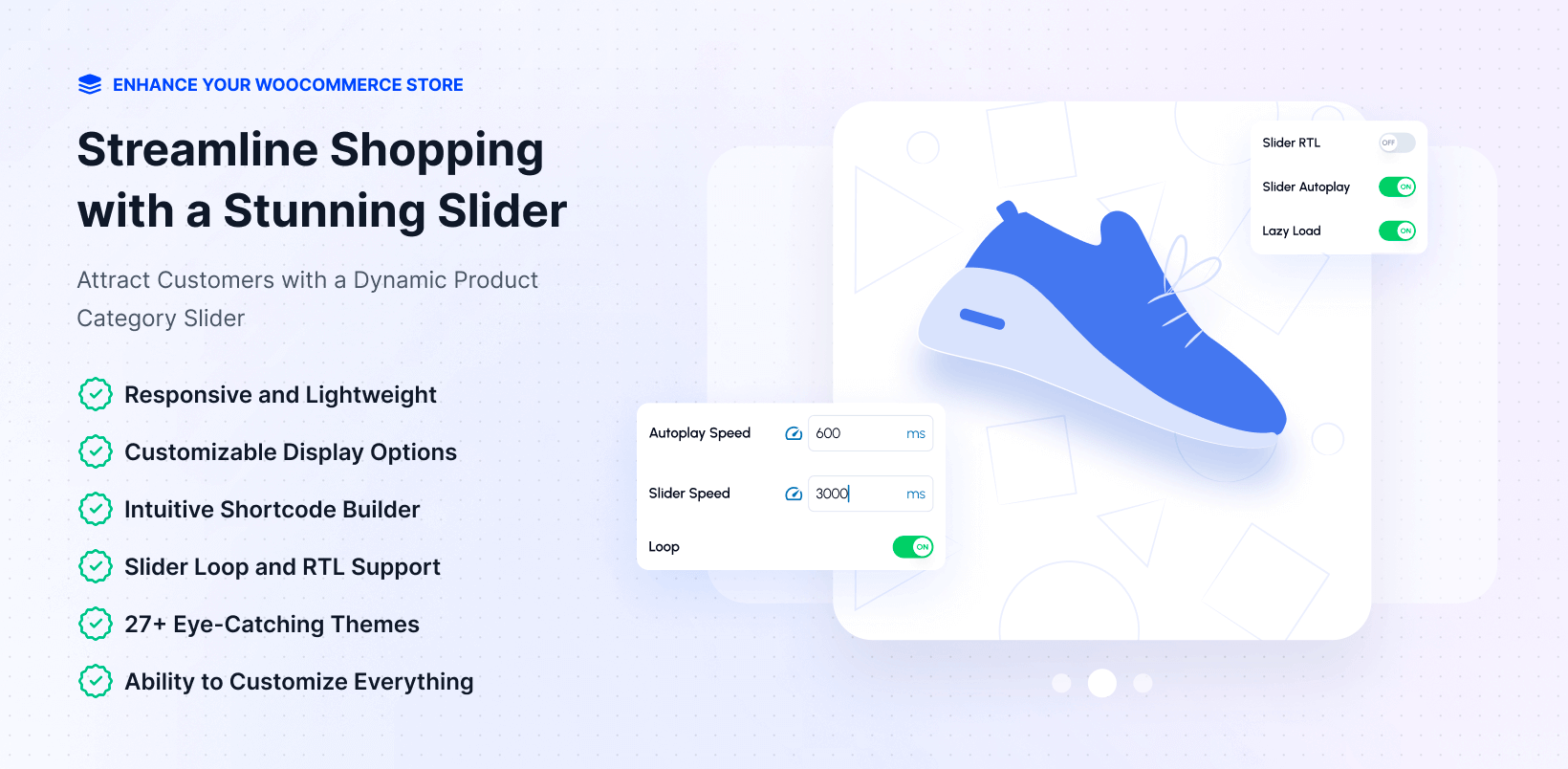
WC Category Slider Pro
WooCommerce’s default category navigation is a text list. WC Category Slider Pro replaces it with a responsive, animated carousel with 27+ ready-made themes, 900+ Google Fonts, custom hover effects (zoom, recolor, opacity), autoplay with configurable speed, and full RTL language support.
You can include or exclude specific categories, sort by product count, assign custom images or Font Awesome icons per category, and configure responsive column breakpoints separately for desktop, tablet, and mobile. Scripts load only when the slider is on the page — no performance bloat on pages that do not use it.
It ships as both a Gutenberg block with live preview and a legacy shortcode for Elementor, Divi, and Beaver Builder setups.
Useful for: fashion stores, electronics stores, digital marketplaces, any store where category navigation directly impacts browsing depth and average order value.
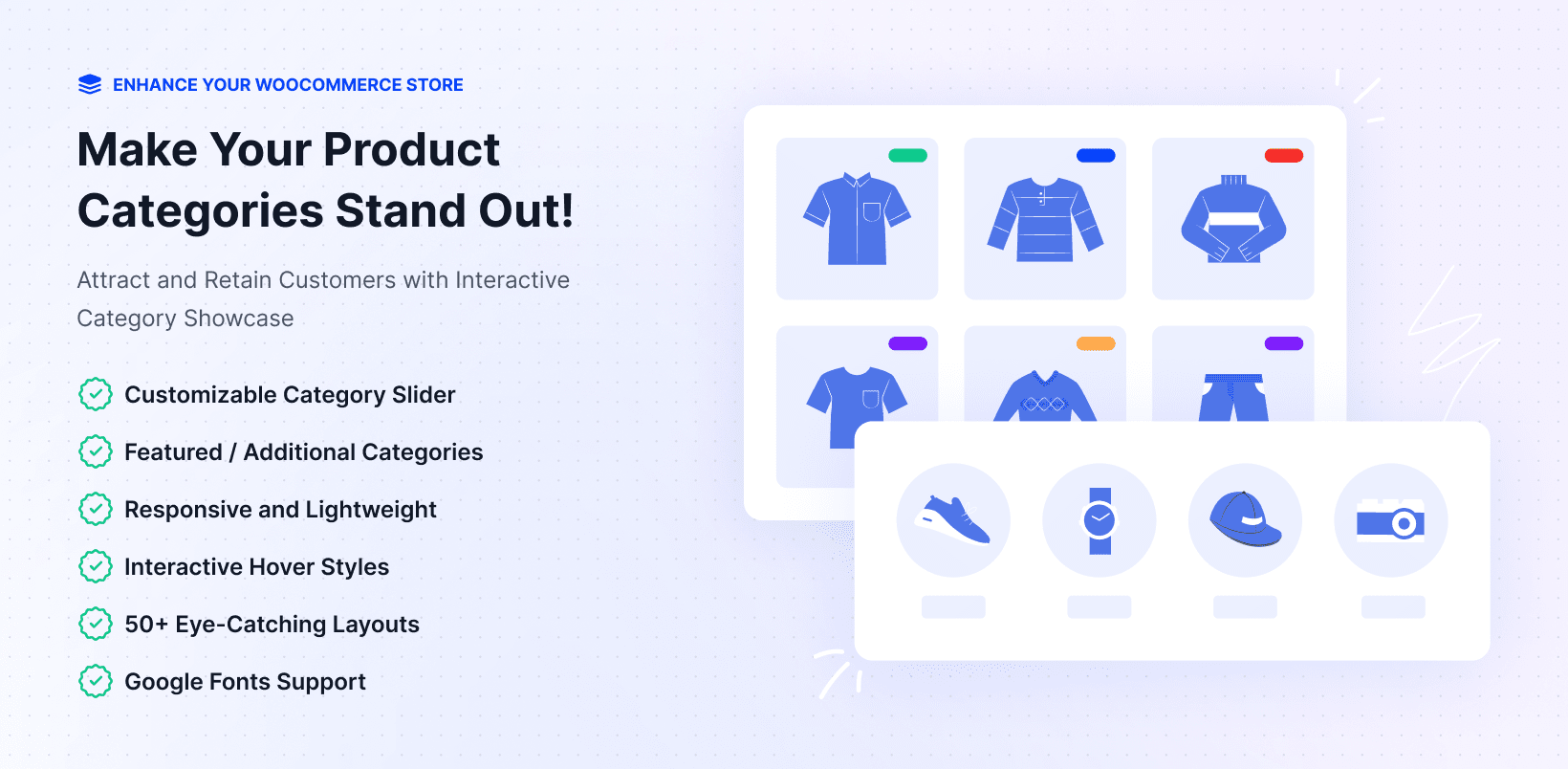
WC Category Showcase Pro
Where Category Slider focuses on carousels, WC Category Showcase Pro is built for structured layout presentations — Slider, Block, and Grid — with a featured category section and up to six additional categories in secondary blocks.
This makes it the better choice for homepage hero sections, where a full-width showcase layout with featured category branding outperforms a navigation carousel. The Block layout is particularly useful for department-style landing pages that need visual hierarchy, not just horizontal scrolling.
Both Category Slider Pro and Category Showcase Pro are included in the All Access Suite. Most stores end up using Slider for header or sidebar navigation and Showcase for homepage sections — they complement each other rather than duplicate.
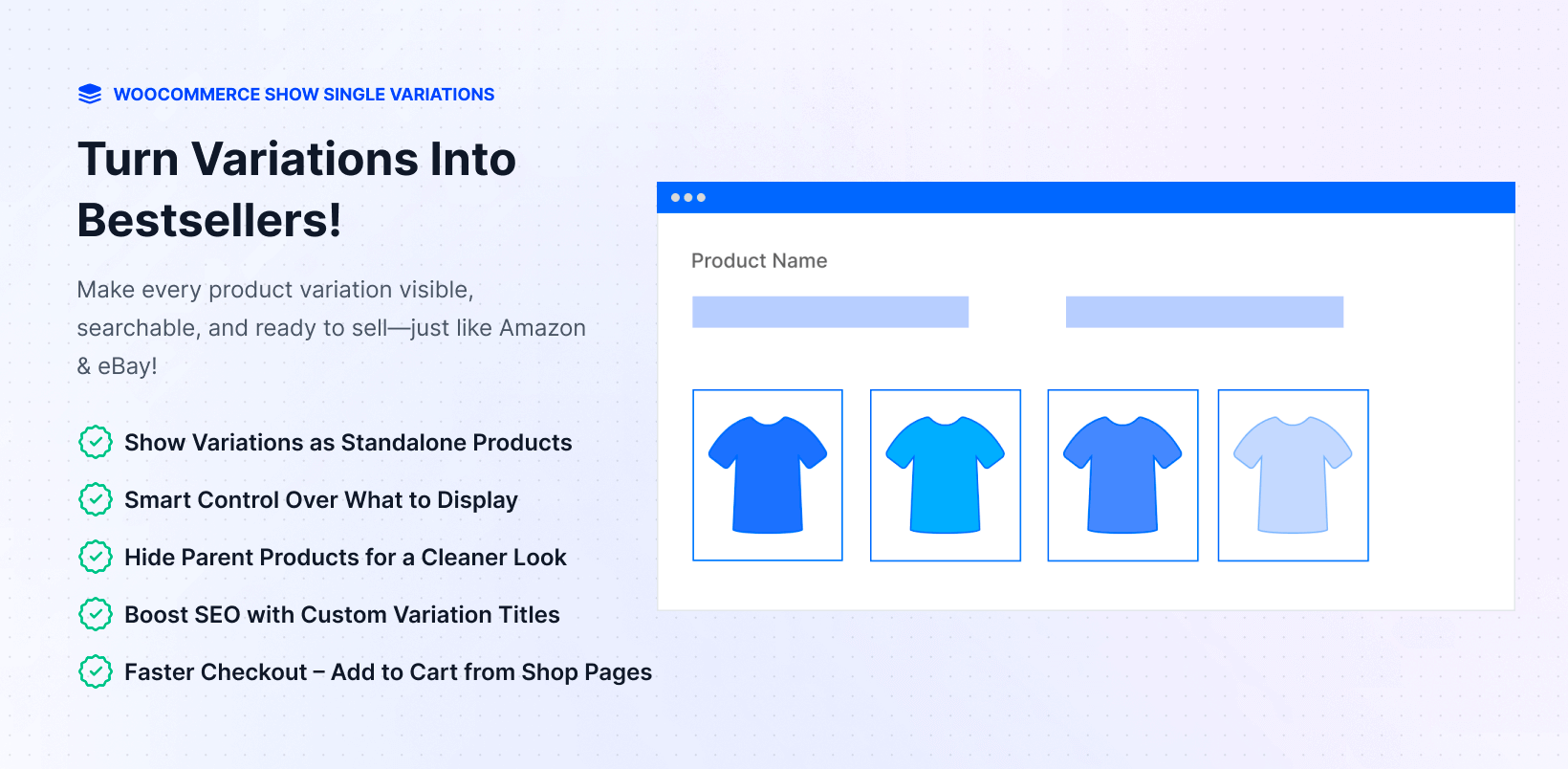
WC Show Single Variations
This plugin corrects one of WooCommerce’s most significant UX and SEO limitations. When a product has variations — a hoodie in six colors, a phone case in fifteen device models — WooCommerce shows only one listing for the parent product on shop and category pages. Customers browsing cannot see or filter by individual variations.
WC Show Single Variations makes each variation appear as its own independent, browseable product across shop pages, category pages, filter results, and search results. It adds direct add-to-cart from shop pages so customers can buy without clicking into the product detail page.
The SEO benefit is meaningful: individual variations can now rank in Google for their specific attributes. “Blue Linen Shirt Size M” can appear in search results as its own listing instead of being buried inside a dropdown on a generic parent product page.
The Pro version adds category-level include and exclude rules, per-product overrides of global settings, and SEO title templates that let you define how variation titles appear in shop listings.
Useful for: apparel and fashion stores, stores with high variation counts, stores relying on filtered shopping, any WooCommerce store losing organic traffic because variations are invisible to search engines.
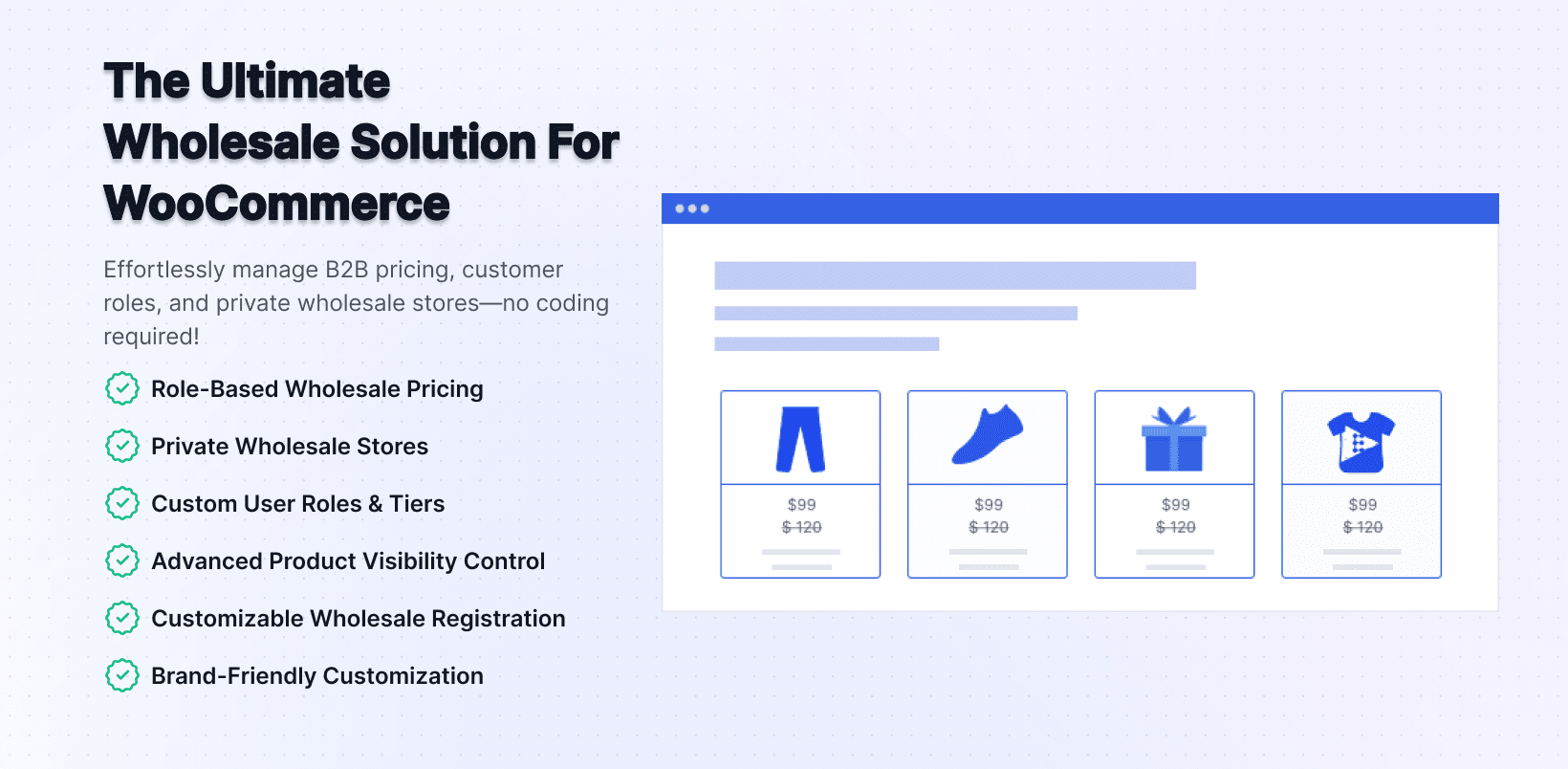
WC Wholesale Manager Pro
Running a B2B wholesale channel alongside a retail store is one of the more complex WooCommerce setups. WC Wholesale Manager Pro handles wholesale pricing, minimum order quantities, wholesale user roles, and role-based checkout behavior — the full B2B operational layer on top of your existing store.
When paired with WC Min Max Quantities Pro, you get role-based pricing and role-based purchase limits working together. A wholesale customer registered in the “Distributor” role sees distributor pricing and faces a minimum order of 50 units. A retail customer sees retail pricing with no minimum. These run simultaneously without any custom development or conditional logic in your theme.
Useful for: manufacturers selling direct-to-trade, distributors managing dealer accounts, any store running both retail and wholesale channels from the same WooCommerce installation.
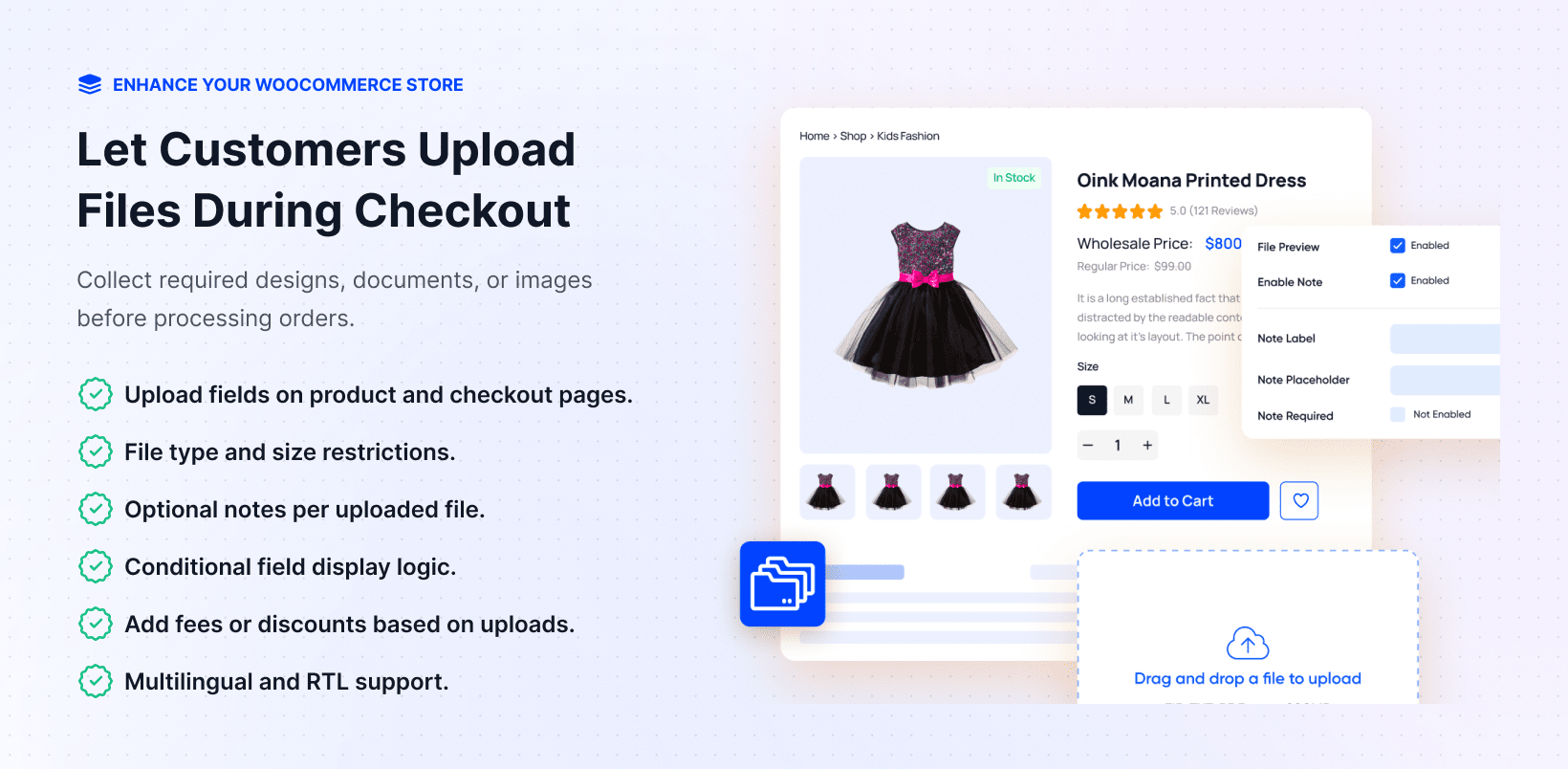
WC Checkout Files Upload Manager
Allows customers to attach files at checkout — images, PDFs, reference documents, or any supporting material. Designed for stores where customer-provided specifications affect order fulfillment: custom print shops, design services, made-to-order manufacturers, or any business that needs to collect supporting files as part of the purchase process.
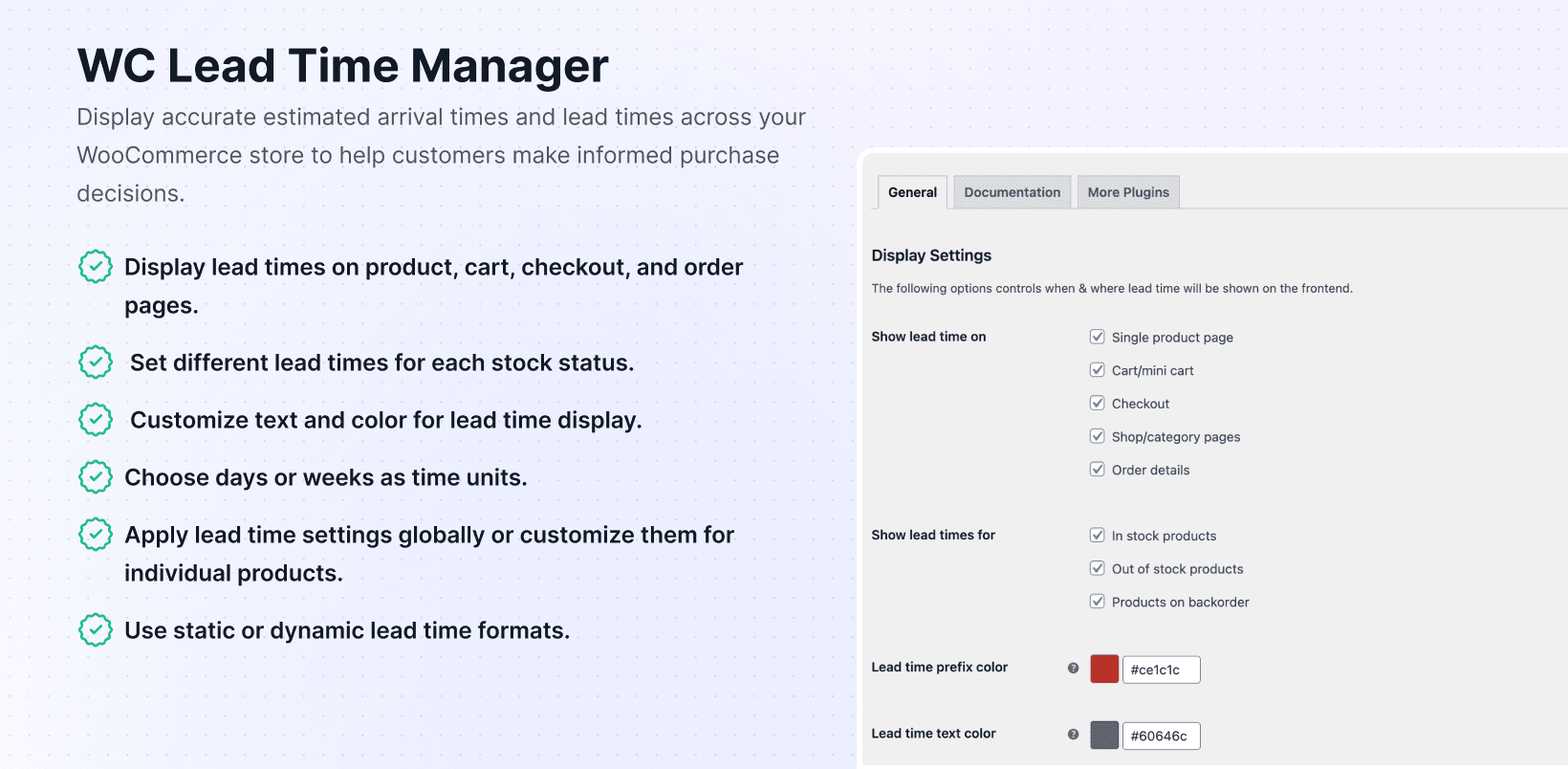
WC Lead Time Manager
Displays configurable delivery estimates directly on product pages, based on rules you set per product or category. Reduces pre-sale support questions about shipping timeframes — particularly for custom-made, pre-order, or handcrafted items where delivery is not immediate.
WC Ticket Manager Pro
A full event ticketing system inside WooCommerce. Create and sell tickets for events, generate unique ticket codes per order, and manage event capacity limits without running a separate ticketing platform. Useful for training providers, event organizers, and businesses that sell access to workshops or sessions.
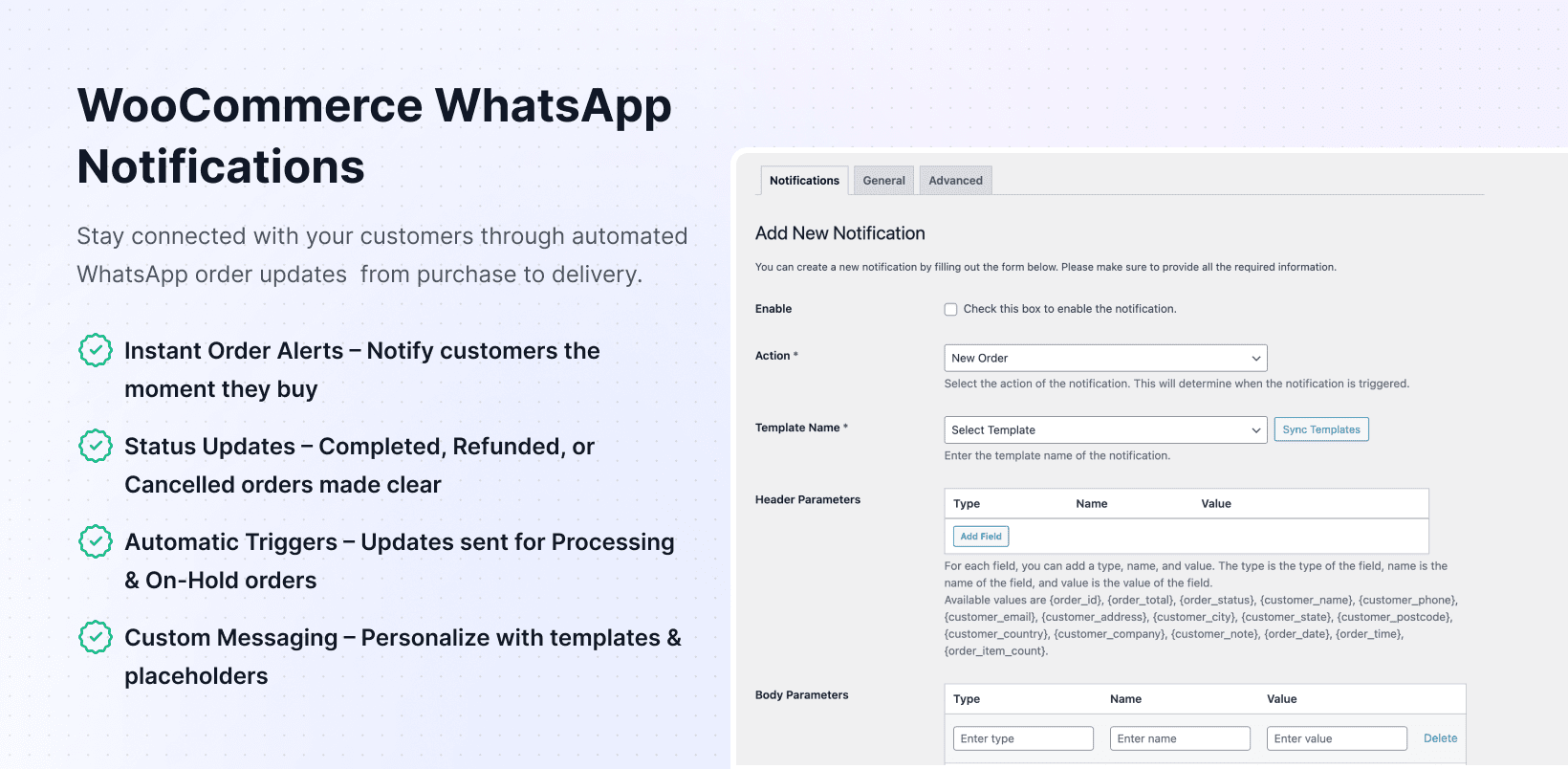
WC WhatsApp Notifications
Sends real-time order status notifications via WhatsApp – new order confirmation, payment received, status change, shipping update, refund, and more. Particularly valuable for stores in markets where WhatsApp is the primary communication channel, including much of South Asia, Southeast Asia, Latin America, and the Middle East. Works alongside WC Serial Numbers or WC Key Manager for license key stores that want to deliver activation codes via WhatsApp in addition to email.
WC Quantity Field on Shop Page
Displays the quantity selector directly on category and shop pages, so customers can set their quantity and add to cart without clicking into the product detail page. For stores selling standardized products where customers already know what they want — office supplies, consumables, repeat-order items — this reduces the click path to checkout.
The Value Calculation: Individual vs Bundle Pricing
Here is the annual cost of buying twelve core plugins individually at single-site pricing, compared against the All Access Suite plans.
| Plugin | Individual / 1 Site |
|---|---|
| WC Serial Numbers Pro | $99 |
| WC Wholesale Manager Pro | $99 |
| WC Min Max Quantities Pro | $49 |
| WC Category Slider Pro | $49 |
| WC Category Showcase Pro | $49 |
| WC Show Single Variations | $49 |
| WC Checkout Files Upload Manager | $49 |
| WC Lead Time Manager | $49 |
| WC Quantity Field on Shop Page | $39 |
| WC Ticket Manager Pro | $49 |
| WC WhatsApp Notifications | $39 |
| Total (11 plugins, 1 site) | $619 |
| All Access Suite Personal plan | $399 |
| Your savings | $319 |
For a freelancer managing five client sites, the Developer plan at $499 covers all 38+ plugins across five sites. Buying just four of the above plugins at five-site licensing would cost more than the entire Developer plan on its own.
WooCommerce Plugin Bundle Options Compared
PluginEver is not the only vendor offering a plugin suite bundle in 2026. Here is how the main options stack up.
PluginEver All Access Suite — 38+ plugins, all WooCommerce-specific, $399 to $799/year, includes all future releases, priority support, 30-day money-back guarantee. Best for stores and agencies that need multiple WooCommerce utility plugins and want a single long-term vendor relationship.
weLaunch WooCommerce Plugin Bundle — Around $299 for their plugin collection, covering tools like invoice generation, cart PDF export, and product comparison tables. A reasonable choice if those specific tools are what your store needs, but the catalog overlaps very little with PluginEver’s focus areas. No mentioned all-future-plugins guarantee.
TheDotStore Plugin Bundle — All-access bundle covering their plugin catalog, with savings claimed up to 90%. Focuses on shipping management, extra fees, size charts, and analytics — a different functional area from PluginEver. Worth evaluating if shipping complexity is your primary store gap.
The key distinction: PluginEver’s catalog is built around WooCommerce store operation and conversion — quantity control, license delivery, category display, variation UX, and B2B selling. The other vendors fill different gaps. If your store needs what PluginEver builds, there is no direct substitute with the same catalog depth.
Who the All Access Suite Is Right For (By Store Type)
Digital Product and Software Stores
If you sell software licenses, game keys, digital downloads with activation codes, or any product delivered as a serial or license key, WC Serial Numbers Pro is the non-negotiable plugin in this stack. Buying WC Serial Numbers Pro individually costs $99 per year for one site.
The All Access Suite Personal plan makes sense the moment you add WC Show Single Variations (to display software editions or versions as individual listings), WC Min Max Quantities (to control how many license seats one order can include), and WC WhatsApp Notifications (to deliver key confirmation via WhatsApp in addition to email). Four plugins. All included. The Personal plan at $399 versus $236 individually for those four — and the bundle still gives you 34+ more on top.
Apparel and Fashion Stores
WooCommerce’s hidden variation problem hits fashion stores hardest. A store selling ten clothing styles in eight colors and five sizes has 400 variations — all hidden behind ten parent product listings on the shop page. WC Show Single Variations makes each variation browseable and individually indexable by Google. WC Category Slider Pro gives the homepage the visual category carousel that fashion stores need. WC Category Showcase Pro handles the full-width featured section on the homepage. WC Min Max Quantities adds seasonal buying limits when needed.
Four plugins. All in the suite. A fashion store with even a modest catalog recouped the Personal plan cost in recovered variation traffic.
B2B and Wholesale Operations
The WC Wholesale Manager Pro and WC Min Max Quantities Pro combination is the most powerful B2B configuration available in WooCommerce without a dedicated wholesale platform. Wholesale pricing by user role. Minimum order quantities by role, category, and product. Cart totals minimums. All configurable without code.
Add WC Serial Numbers Pro if you sell licensed B2B software or pre-paid access codes. Add WC WhatsApp Notifications for markets where trade buyers expect order updates via WhatsApp. The All Access Suite covers the entire B2B stack in one purchase.
Freelancers and WordPress Developers Managing Client Sites
The Developer plan at $499 for five sites is the clearest value case in the suite. You are not buying plugins for one store — you are buying a toolkit you activate selectively across every client build. Client A gets WC Min Max Quantities and WC Category Slider. Client B gets WC Serial Numbers and WC Show Single Variations. Client C gets WC Wholesale Manager and WC WhatsApp Notifications. You pay once and have everything available at every site.
Individual plugin licensing across five sites would cost $700 to $1,400+ per year depending on which plugins each client needs. The Developer plan caps that at $499 regardless.
Agencies with 10 or More WooCommerce Builds
The Agency plan at $799 for unlimited sites removes plugin licensing from the overhead calculation entirely. When you quote a WooCommerce project, you stop itemizing which plugins the client needs and what they cost. You already own them. This simplifies project scoping, eliminates per-client licensing decisions, and gives every client access to the full plugin catalog without additional approvals or purchases.
When Not to Buy a Plugin Bundle
A plugin bundle is not always the right answer. Here are the situations where buying individually makes more sense.
You only need one plugin. If your store’s single gap is license key delivery and nothing else in the PluginEver catalog applies to your operation, WC Serial Numbers Pro at $99 is cheaper than the $399 bundle minimum. The bundle value requires actually using multiple plugins.
Your stack is already covered by other vendors. If you already have WooCommerce.com extensions, YITH plugins, or other vendor tools covering your needs, switching to a bundle you will only partially use does not deliver value. The bundle works best when your plugin requirements map closely to what PluginEver builds.
You need a product bundling plugin. This is worth repeating. If the goal is to sell product gift sets, pick-and-mix boxes, or bundled product deals to your customers, the All Access Suite is not the right product category. WooCommerce Product Bundles or WowRevenue is what you need.
You manage one site and need only two plugins. At single-site scale with two plugins needed, check the individual pricing first. Two $49 plugins cost $98 individually. The Personal plan is $399. You need to reach four or more plugins to break even on the Personal plan depending on which ones.
How to Get Started with the All Access Suite
The process is straightforward.
- Visit pluginever.com/all-access-suite and choose your plan.
- Complete the purchase. You receive a license key that activates all included plugins.
- Download only the plugins you need from your account dashboard — you do not have to install all 38 at once.
- Activate each plugin from your WooCommerce admin and configure through the plugin settings panel.
- Priority support is available for all bundle customers through the PluginEver support portal.
Each plugin has its own documentation. For initial setup, PluginEver’s documentation site covers step-by-step configuration for every plugin in the suite.
The 30-day money-back guarantee runs from the date of purchase with no conditions. If the suite does not fit your store, request a refund within that window.
Verdict
For WooCommerce store owners who need three or more utility plugins, the PluginEver All Access Suite is the best WooCommerce plugin bundle available in 2026. The catalog is wide, WooCommerce-specific, and growing. The per-plugin cost is significantly lower than individual purchases at every plan level. The single-vendor model simplifies support, updates, and plugin compatibility across your entire stack.
Personal plan ($399/year, 1 site): Right for single-store owners who need four or more plugins. The break-even point is typically three plugins depending on which ones.
Developer plan ($499/year, 5 sites): The strongest value case in the market for freelancers and WordPress developers. No comparable multi-site WooCommerce plugin bundle offers this breadth at this price.
Agency plan ($799/year, unlimited sites): Removes plugin licensing as a variable from agency project costs entirely. The economics improve with every additional client site you manage.
See the full plugin list and choose your plan
Frequently Asked Questions
What is a WooCommerce plugin bundle?
A WooCommerce plugin bundle is an all-access package where a plugin vendor sells multiple plugins together at a discounted price compared to buying each individually. It is not the same as a product bundle plugin, which is a tool you install to let you sell product sets and gift packages to your own customers.
What is included in the PluginEver All Access Suite?
The All Access Suite includes every plugin PluginEver has published — currently 38+ — plus all future plugin releases at no extra charge. Key plugins include WC Serial Numbers Pro, WC Key Manager Pro, WC Min Max Quantities Pro, WC Category Slider Pro, WC Category Showcase Pro, WC Show Single Variations, WC Wholesale Manager Pro, WC Checkout Files Upload Manager, WC Lead Time Manager, WC Ticket Manager Pro, and WC WhatsApp Notifications.
How much does the PluginEver All Access Suite cost in 2026?
Three plans are available: Personal at $399 per year for one site, Developer at $499 per year for five sites, and Agency at $799 per year for unlimited sites. All plans include the same plugin catalog and all future releases.
How much can you save with a WooCommerce plugin bundle?
Buying twelve of the core PluginEver plugins individually costs approximately $718 per year for a single site. The Personal plan covers one site with all 38+ plugins for $399 — a saving of $319 on those twelve alone. For a freelancer managing five client sites, the savings against individual multi-site licensing are typically $700 or more per year.
Does the All Access Suite include plugins released in the future?
Yes. Any plugin PluginEver releases while your license is active is automatically added to your bundle at no extra charge.
Can I use the All Access Suite on client websites?
The Personal plan covers one site only. The Developer plan covers five sites, which can be a mix of your own and client sites. The Agency plan covers unlimited sites and is designed for agencies managing large WooCommerce client portfolios.
Is there a money-back guarantee?
Yes. PluginEver offers a 30-day money-back guarantee on the All Access Suite. You can request a full refund within 30 days of purchase if the suite is not the right fit.
What is the difference between WC Serial Numbers and WC Key Manager?
Both plugins manage and deliver license keys in WooCommerce. WC Serial Numbers Pro is the more established option with a larger install base, simpler setup, and broad compatibility. WC Key Manager is the newer option with more advanced features: QR/barcode generation, a customer-facing license dashboard, WooCommerce Subscriptions integration, and per-key usage analytics. Both are included in every All Access plan — you can run one or both depending on your store’s needs.
Are all PluginEver plugins compatible with each other?
Yes. Because all plugins in the suite are built by the same team under consistent coding standards, they are tested to work together. This eliminates the compatibility conflicts that commonly occur when running plugins from multiple different vendors.
Does the All Access Suite work with major WooCommerce page builders?
Yes. Plugins like WC Category Slider Pro and WC Category Showcase Pro ship as both Gutenberg blocks and shortcodes, making them compatible with Elementor, Divi, Beaver Builder, and all major WordPress page builders alongside the native block editor.
Leave a Reply
You must be logged in to post a comment.