
Fine-tune the visual appearance of your image effects with custom colors and styling options. Make your product image effects match your store’s brand perfectly.
Access Style Settings
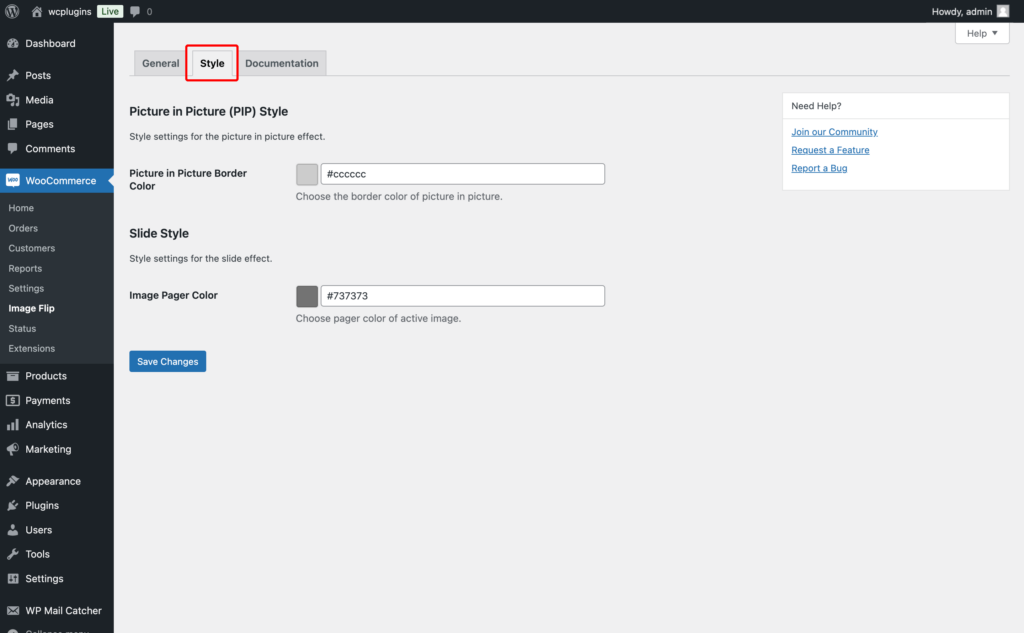
Navigate to WooCommerce > Image Flip in your WordPress dashboard, then click on the Style tab.
Style Options
Picture in Picture (PIP) Style
Customize the appearance of the Picture-in-Picture effect.
Picture-in-Picture Border Color – Choose the border color that frames the smaller preview image. Pick a color that complements your product images or matches your store’s theme for a cohesive look.
Slide Style
Customize the appearance of the Slide effect navigation.
Image Pager Color – Select the color for the active navigation dot (pager) that indicates which image is currently displayed. Make it stand out so customers can easily track their position in the image slider.
Save Changes
Click Save Changes to apply your style customizations.
Related Settings
Configure Image Flip Effects to set up hover effects and transitions.