
Configure how tooltips look when customers hover over variation swatches. Customize text size, colors, and overall styling to match your store’s design.
Access Tooltip Settings
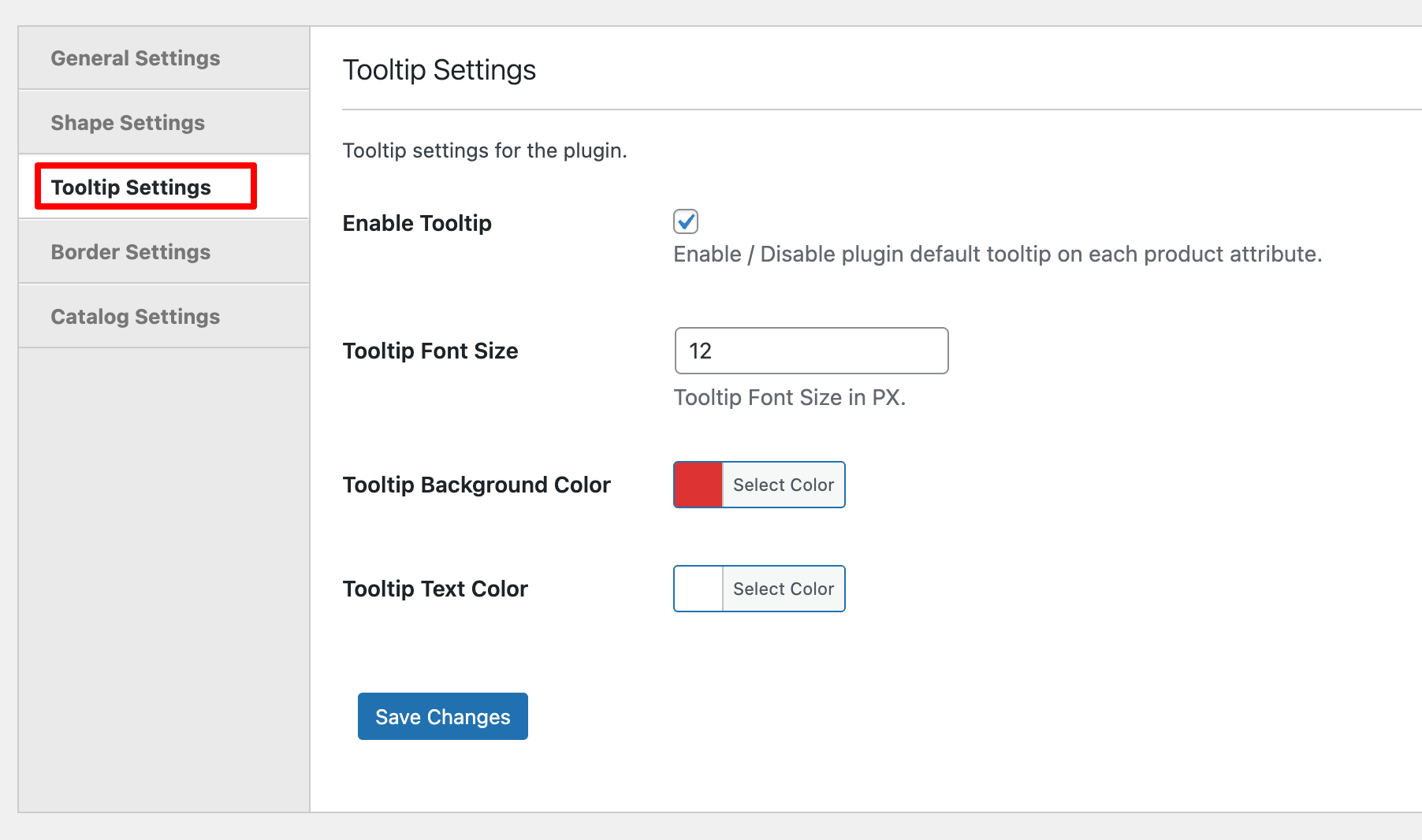
Navigate to Products > Variation Swatches in your WordPress dashboard and click the Tooltip Settings tab.
Configuration Options
Enable Tooltip
Toggle tooltips on or off for product variation attributes. When enabled, helpful text appears when customers hover over swatches.
Tooltip Font Size
Set the size of tooltip text in pixels. Adjust for readability based on your store’s typography.
Tooltip Background Color
Customize the tooltip’s background color to match your brand.
Tooltip Text Color
Set the color of the text inside tooltips. Ensure good contrast with the background color for easy reading.
Save Changes
Click Save Changes to apply your tooltip styling across all variation swatches.
Next Step
After configuring tooltip appearance, proceed to configure swatch borders for additional visual customization.