
Limit coupon access to specific user roles. Perfect for creating VIP-only discounts or exclusive member rewards.
Access Allowed Roles Settings
For New Coupons: Go to Marketing > Coupons > Add New Coupon. In the Coupon Data section, click Usage Restriction and scroll to Allowed Role.
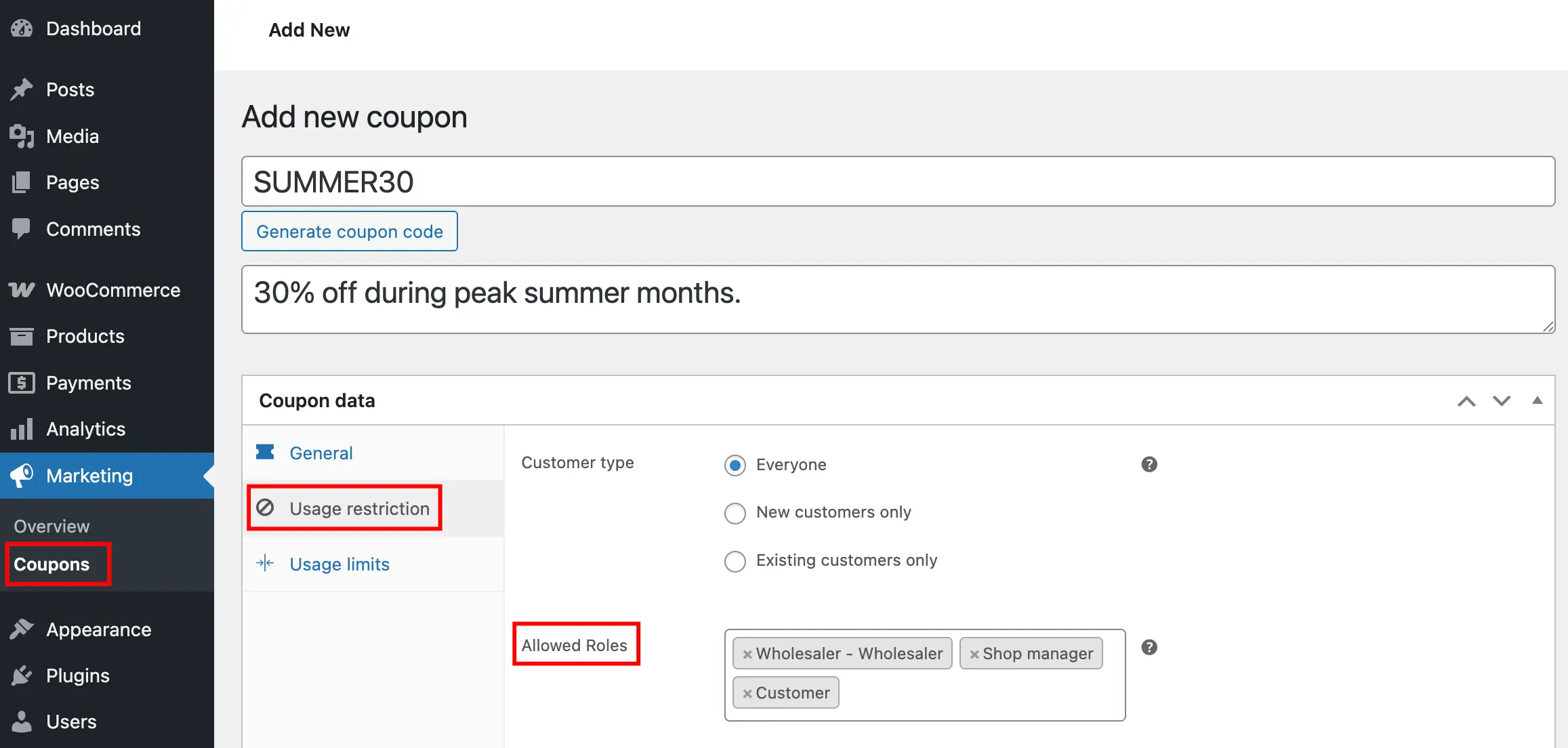
For Existing Coupons: Edit the coupon, then navigate to Usage Restriction and scroll to Allowed Role.
Allowed Role Options
Select one or multiple user roles that can redeem this coupon. Choose from available WordPress and WooCommerce roles like Customer, Subscriber, Wholesale Customer, or any custom roles you’ve created.
Save Your Coupon
Click Publish for new coupons or Update for existing ones to apply the role restriction.
Next Step
Add location-based targeting by setting restrictions based on billing information for more precise control.