
Personalize the login form to match your brand. Adjust text and labels for a consistent visitor experience on locked pages.
Access Form Settings
Go to WooCommerce > Private Store > General, and scroll to the Login Form section. The following options are available:
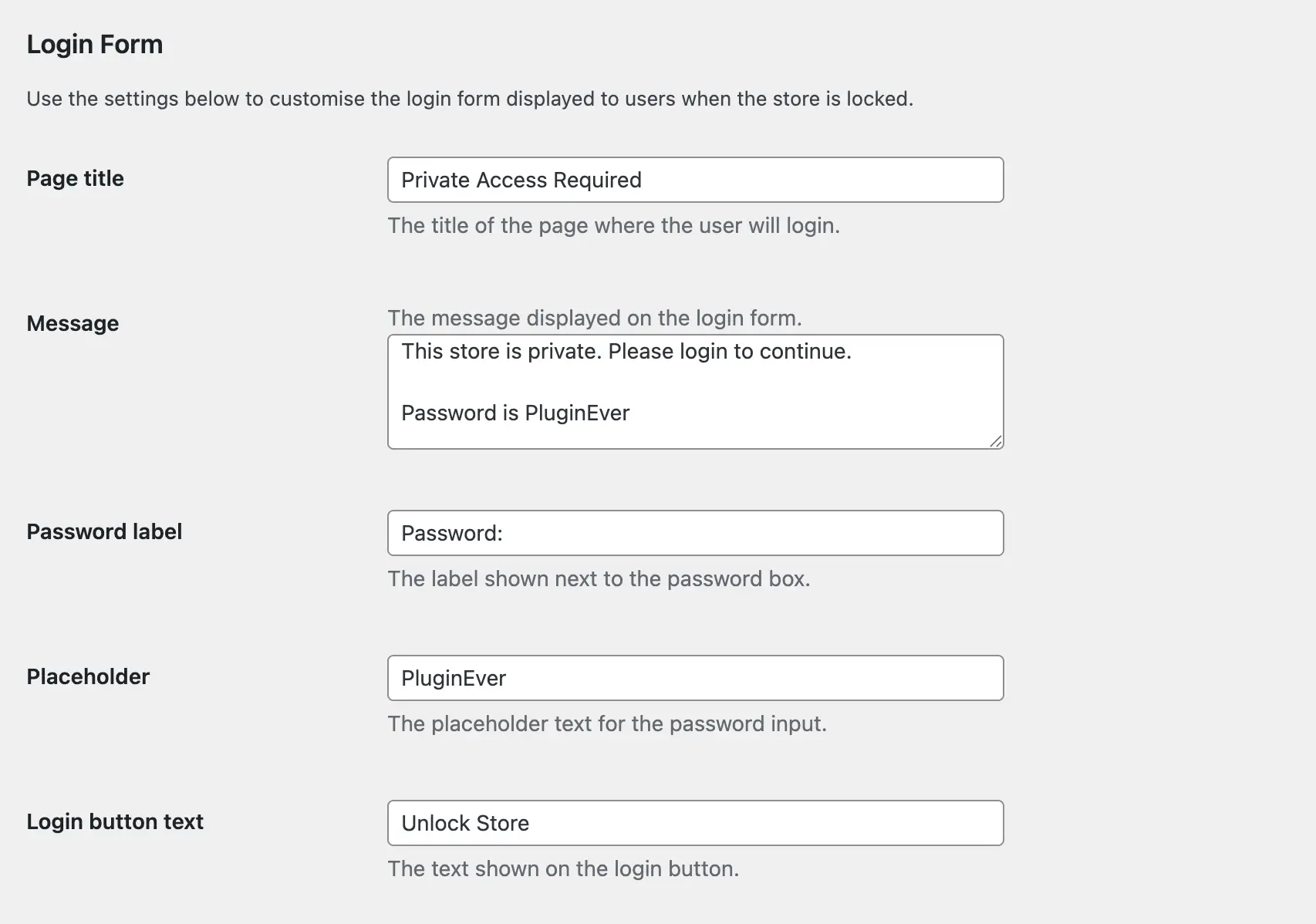
Customizable Fields
Page Title
Sets the main heading displayed at the top of the form. Example: “Private Access Required”
Message
Appears below the title. Use this for instructions or additional context about accessing locked content. Example: “Enter your password to view this content.”
Password Label
Shows above the password input field to describe what users should enter. Example: “Access Code”
Placeholder
Appears inside the password field before users start typing. Provides guidance on what to enter. Example: “Enter password here…”
Login Button Text
Customizes the label on the submit button. Example: “Unlock Store”
Save Changes
Click Save Changes to apply your customizations. The updated form will appear on all locked pages, categories, and store sections.
This helps create a consistent and branded experience for your visitors.