
Define the actual values for your attributes based on the display type you selected. Add colors, images, or labels that customers will see and select on product pages.
Access Attribute Terms
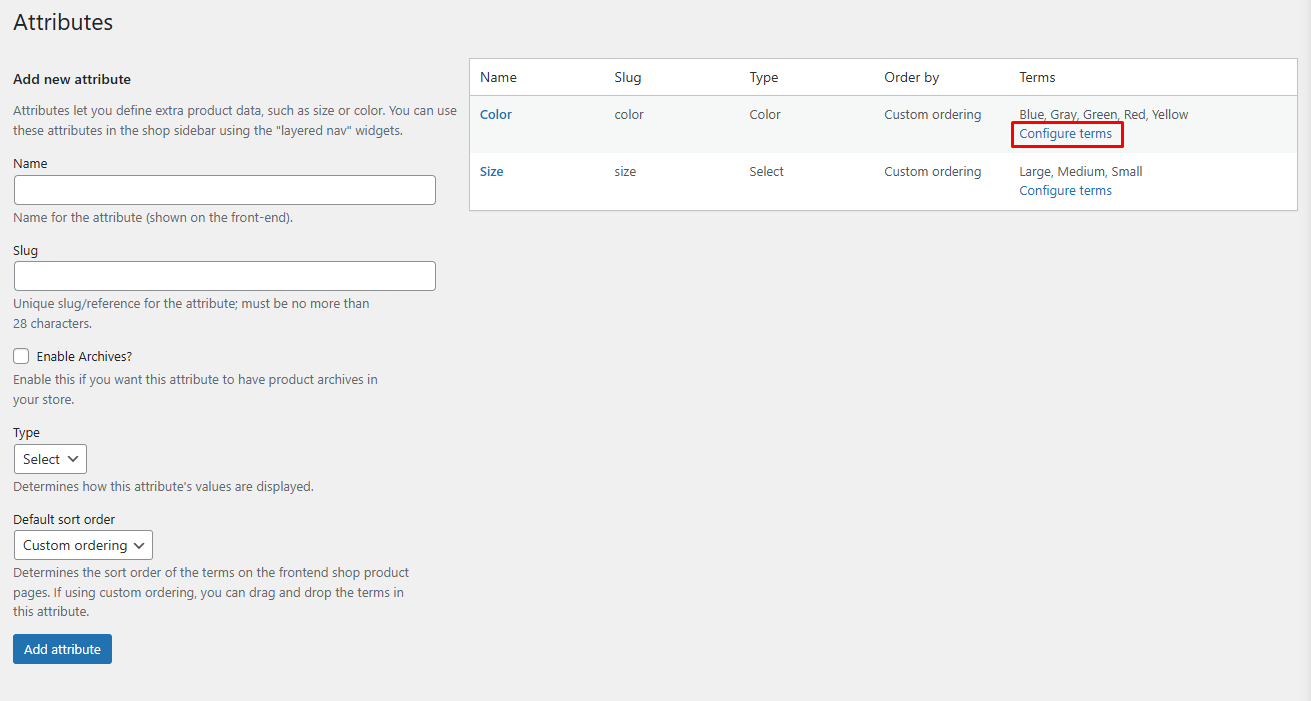
Navigate to Products > Attributes in your WordPress dashboard.
Find the attribute you want to configure and click Configure Terms.
Add or Edit Terms
The options available depend on your chosen display type:
Color Display Type
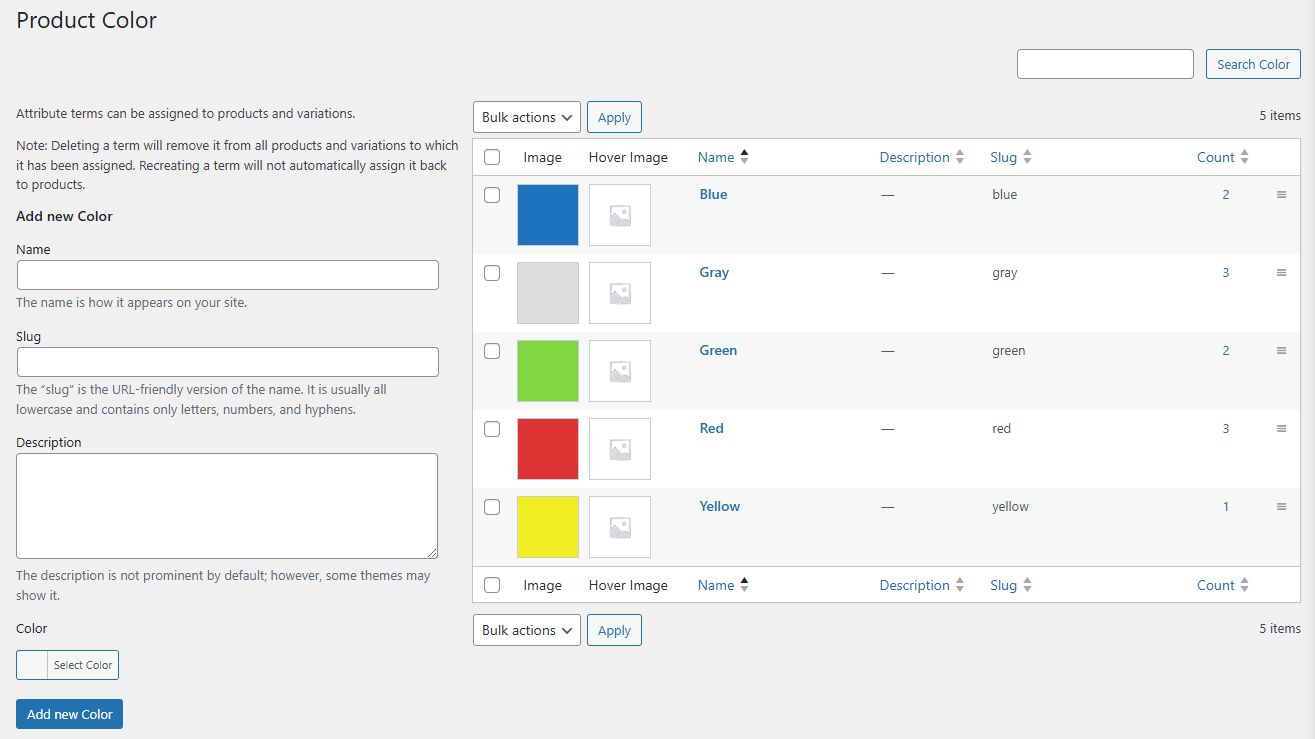
Use the color picker to select the exact color for each term. This creates clickable color swatches on product pages.
Image Display Type
Upload an image for each term. Customers will see these images as selectable options.
Label Display Type
Enter text labels for each term. These appear as simple text options.
Add Hover Image (Optional)
For any display type, you can upload a Hover Image that appears when customers hover over the attribute value. This provides additional visual context or detailed views.
Saving Changes
Click Save Changes to apply your configured terms.
Next Step
After configuring attribute terms, proceed to set up Variation Swatches to apply these attributes to your variable products.