
Control how product attribute values appear on your store. Choose between images, color, or text labels to match your products and brand style.
Access Attribute Settings
Navigate to Products > Attributes in your WordPress dashboard.
Create a new attribute or edit an existing one.
Select Display Type
Locate the Type dropdown and choose how attribute values should appear:
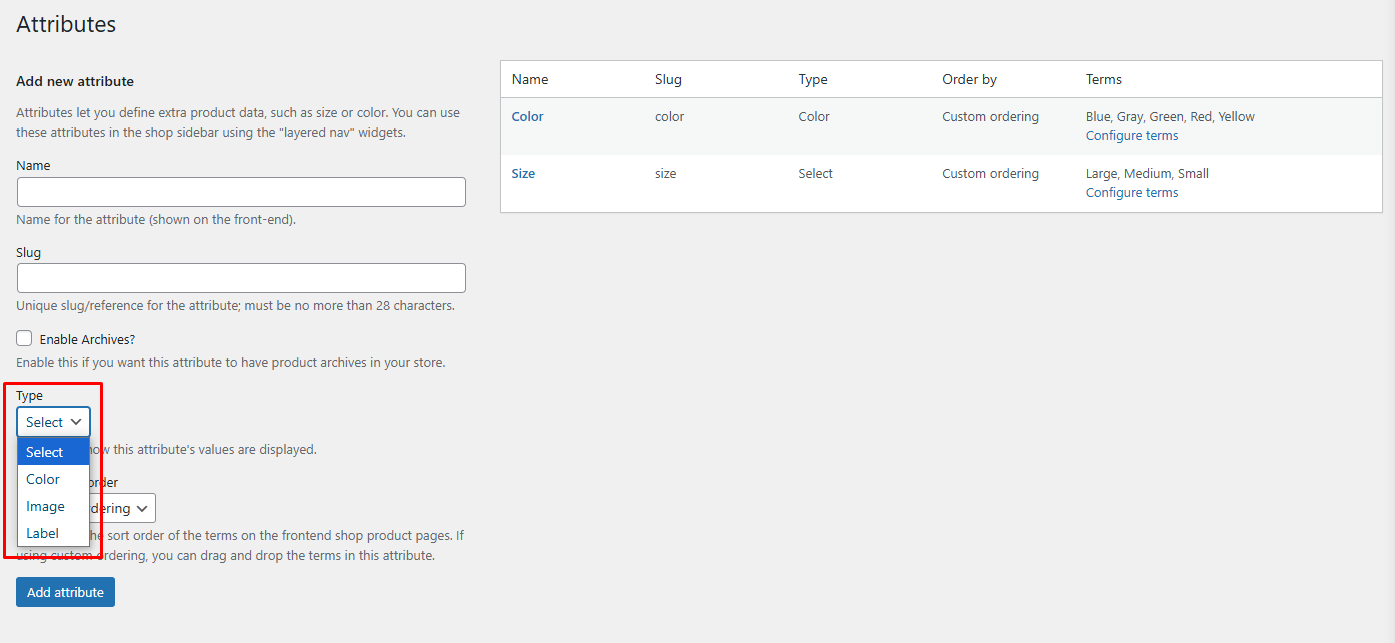
Image
Display attribute values as images. Perfect for visual variations like patterns, textures, or design styles.
Color
Display attribute values as color swatches. Ideal for showing exact colors customers can choose from.
Label
Display attribute values as simple text labels. Suitable for straightforward options without visual representation.
Saving Changes
Click Save Attributes to apply your display type selection.
Next Step
After configuring attribute display types, proceed to configure terms for attributes to define the actual values customers can select.