
Speed up purchases with one-click checkout buttons. Let customers buy instantly from shop pages or product pages without extra steps.
Enable Fast Checkout Buttons
Navigate to WooCommerce > Digital Product Checkout > General.
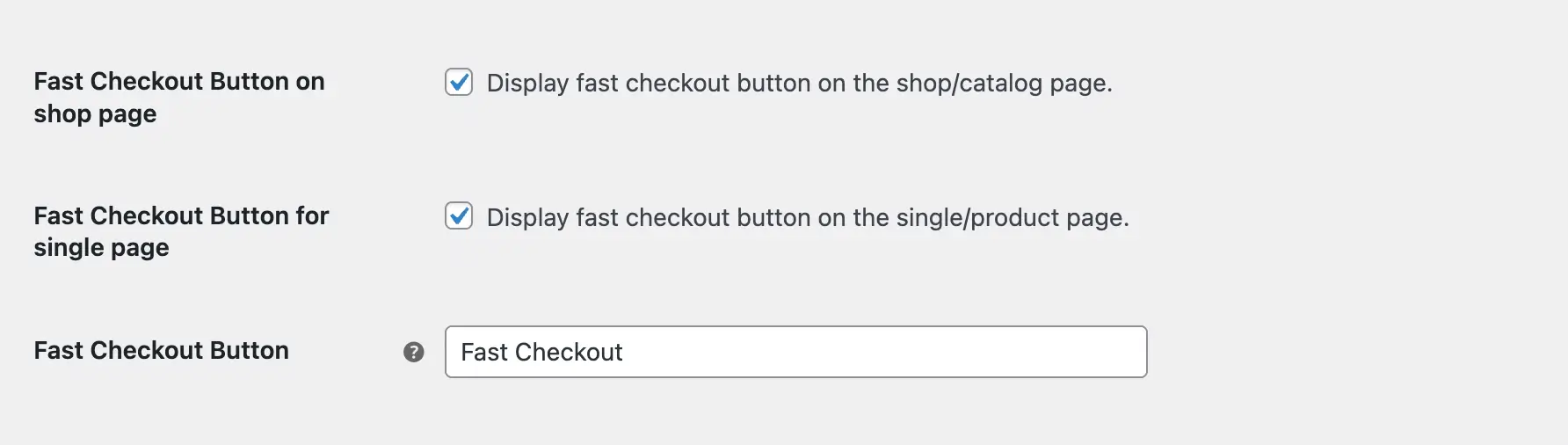
Fast Checkout Button on Shop Page
Enable this to display a quick checkout button on shop and category pages. Customers can buy products instantly without visiting the product page or cart.
Fast Checkout Button for Single Page
Enable this to add a fast checkout button on individual product pages.
Fast Checkout Button Text
Customize the button label to match your brand. (e.g., Quick Purchase)
Save Settings
Click Save Changes to activate fast checkout buttons across your store.
Next Step
Configure which billing fields appear during checkout to streamline the purchase process even further.