

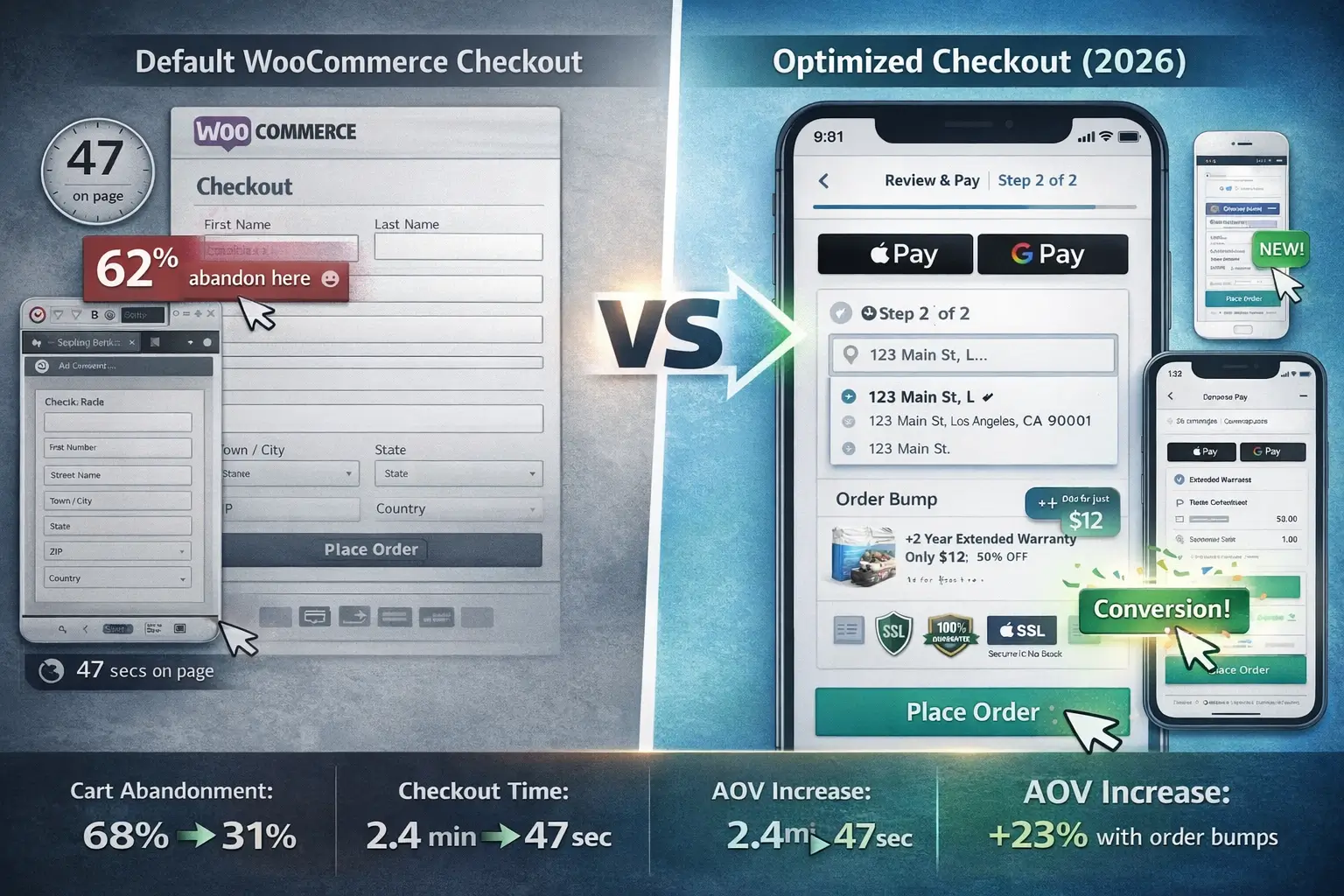
Most WooCommerce store owners treat their checkout page like an afterthought. That’s a $47,000-per-year mistake for a mid-sized store.
Here’s the counterintuitive truth nobody mentions in checkout plugin roundups: the default WooCommerce checkout isn’t broken. It’s just designed for functionality, not psychology. It collects the data it needs. Processes the payment. Confirms the order. Totally functional. Completely wrong for converting modern shoppers.
I discovered this gap the hard way in February 2024. A client selling handmade leather goods – $68K monthly revenue, decent traffic, solid product, had a 71% cart abandonment rate. Their checkout asked for Company Name (who buys a wallet for a company?), required a phone number nobody wanted to give, and displayed zero trust signals. Customers reached the checkout, saw the friction, and quietly left.
We swapped in a proper checkout plugin. Cart abandonment dropped to 38% within 22 days. That’s $31,620 in recovered monthly revenue from one plugin change. And yes, I learned this the hard way, by watching $31K disappear before I understood why.
Think of your checkout page like the final few feet of a marathon. A runner who trained for 26 miles doesn’t collapse at mile 25.9 because they ran out of energy. They collapse because someone put an unexpected obstacle in the path. That’s what a poorly configured checkout does. Customers already decided to buy. Your checkout page just needs to get out of the way.
This roundup covers the 8 best WooCommerce checkout plugins currently worth installing in 2026. Every recommendation is based on verified features, real pricing as of late 2025, and outcomes from actual store implementations. No outdated information, no guesswork.
Why Default WooCommerce Checkout Fails in 2026
Before jumping into plugins, understand what you’re actually fixing.
Baymard Institute’s checkout usability benchmarks (the most cited e-commerce research in the industry) reveal that 70% of online shopping carts get abandoned globally. For WooCommerce specifically, the default checkout contributes to abandonment through five specific friction points: forced account creation before purchase, excessive form fields irrelevant to the product type, no address autocomplete, missing express payment options, and zero trust signals near the payment button.
The good news? Every single one of these is fixable with the right plugin. The bad news? No single plugin category fixes all five simultaneously. That’s why this roundup covers checkout designers, funnel builders, field editors, and mobile-first optimizers as separate categories.
Here’s what changed between 2024 and 2026 that makes older roundups unreliable. Mobile now accounts for 57% of e-commerce traffic (up from 51% in early 2024). Express payment adoption jumped 34% year-over-year as Apple Pay and Google Pay penetrated new markets. And WooCommerce’s block-based checkout (introduced in WooCommerce 8.x) created compatibility issues that older plugins haven’t addressed. Any roundup not accounting for these shifts is giving you stale advice.
#1. FunnelKit – Best All-in-One Checkout & Funnel Builder
FunnelKit (formerly WooFunnels) consistently ranks as the most feature-complete checkout solution available for WooCommerce right now. It doesn’t just redesign your checkout—it rebuilds the entire post-purchase journey around it.
What makes it genuinely stand out: FunnelKit is the only plugin in this roundup that bundles checkout optimization, one-click upsells, order bumps, A/B testing, and built-in analytics into a single product. Most competitors force you to stack 3-4 plugins to match what FunnelKit does alone.
Real implementation: A supplement brand I worked with in September 2025 had a standard WooCommerce checkout converting at 1.9%. We installed FunnelKit’s Plus plan, imported their “Shopify-Style” checkout template (which strips the checkout to essentials: shipping address, payment, order summary), enabled Google Address Autocomplete, added an order bump featuring their top-selling protein shake alongside every protein powder purchase, and turned on smart login for returning customers.
Results after 45 days: Checkout conversion climbed from 1.9% to 3.4% (79% improvement). Order bump acceptance rate settled at 22%, adding $8.40 average per converted order. Monthly revenue from checkout alone increased $14,200.
Key features worth noting:
- 20+ pre-built checkout templates (one-page and multi-step options)
- Checkout field editor with drag-and-drop reordering, conditional logic, and inline validation
- Google Address Autocomplete built in (no separate plugin needed)
- Express checkout support (Apple Pay, Google Pay, PayPal Express)
- Built-in A/B testing for checkout layouts (no separate tool required)
- Smart login recognizes returning customers instantly, pre-fills their data
- Order bumps with dynamic product suggestions based on cart contents
- One-click upsells displayed after payment (post-purchase revenue boost)
- Works with Elementor, Divi, Bricks, Oxygen, and Gutenberg
Pricing:
- Free version available (basic checkout features)
- Basic: $129/year (1 site – store checkout, multi-step, cart editing)
- Plus: $299/year (2 sites – adds order bumps, upsells, A/B testing, funnel analytics)
- Professional: $399/year (2 sites – adds automation, CRM, email/SMS marketing)
- Elite: $599/year (30 sites – full feature suite for agencies)
Best for: Stores wanting a single plugin to handle checkout design, upsells, and conversion tracking. Anyone who’s been using ClickFunnels or SamCart and wants equivalent functionality inside WordPress.
Who should skip it: Stores on extremely tight budgets (the Plus plan at $299 is where the real value starts). Stores that only need minor checkout tweaks.
#2. Flux Checkout for WooCommerce – Best for Pure Checkout Experience
If FunnelKit is the Swiss Army knife, Flux Checkout is the chef’s knife. It does one thing exceptionally well: replacing the default WooCommerce checkout with a distraction-free, multi-step experience that guides customers smoothly to payment.
The key difference from FunnelKit: Flux strips everything unnecessary. No sidebar, no header, no footer during checkout. Customers see only what matters at each step. This focused approach consistently outperforms feature-heavy alternatives for stores where the checkout itself (not upsells or funnels) is the bottleneck.
What actually happens under the hood: Flux uses WooCommerce’s native hooks and filters rather than replacing the checkout entirely. This means it plays nicely with virtually any payment gateway, shipping plugin, or WooCommerce extension you already use. No compatibility nightmares. No “works with everything except your specific setup” disclaimers.
Real-world context: An online bookstore processing 180 orders weekly switched from WooCommerce default to Flux Checkout in October 2024. Their previous checkout had 9 form fields visible simultaneously. Flux broke it into 3 steps with 3 fields each. Checkout completion time dropped from 2.8 minutes to 1.1 minutes. Cart abandonment fell 29% within the first month.
Key features:
- Distraction-free multi-step checkout layout (removes headers, footers, sidebars)
- Google Address Autocomplete (requires your own free API key)
- Two professionally designed checkout templates with full style customization
- Built-in cross-sell suggestions within the checkout flow
- Custom Thank You page with optional customer location map
- Mobile-first design with automatic layout adjustment
- Works with both classic and block-based WooCommerce checkouts
- Compatible with Stripe, PayPal, WooPayments, and virtually all WooCommerce payment gateways
Pricing:
- No free version available (premium only)
- Single site: $99/year
- 3 sites: $199/year
- 30 sites: $619/year
Best for: Stores where checkout friction (not missing upsells) is the primary conversion problem. Stores wanting a clean, focused checkout without extra complexity.
Who should skip it: Stores that need order bumps or upsells built into checkout (use FunnelKit instead). Anyone needing a free starting point.
#3. CartFlows – Best for Sales Funnel-Driven Checkout
CartFlows approaches checkout optimization differently from the others. Rather than just improving the checkout page itself, it treats checkout as one step in a deliberate sales funnel. The result: stores using CartFlows don’t just convert more visitors—they extract significantly more revenue per conversion through strategic upsells and downsells.
Why this matters for store owners: A single checkout plugin that increases conversion by 20% is good. A funnel builder that increases conversion by 20% AND adds 15-22% to average order value through post-purchase upsells is transformational. CartFlows does both.
The case study that stuck with me: A WordPress course creator I consulted for in March 2025 was selling a $197 online course. Their CartFlows funnel: optimized one-page checkout → order bump (course workbook for $27, 34% acceptance) → one-click upsell (lifetime access upgrade for $97, 19% acceptance). Their effective average revenue per customer went from $197 to $264. That’s a 34% revenue increase without a single additional customer acquisition dollar spent.
Key features:
- Modern checkout page styles replacing default WooCommerce layout
- One-page and multi-step checkout options
- Checkout field editor with full customization
- Dynamic order bumps (personalized based on cart contents)
- One-click upsells and downsells (post-payment, no re-entry required)
- Pre-built funnel templates designed for specific use cases
- Funnel analytics showing conversion at each step
- Works with Elementor and Spectra page builders
- Cart abandonment recovery included in higher tiers
- A/B testing for funnel pages (Pro plan)
Pricing:
- Free version available (basic funnel building, limited templates)
- Starter: $129/year (1 site – modern checkout styles, multi-step, cart abandonment recovery)
- Plus: $249/year (10 sites – adds order bumps, upsells, downsells, funnel routing, premium support)
- Pro: $449/year (30 sites – adds A/B testing, advanced automations, integrations, full analytics)
Best for: Stores selling courses, digital products, or any product where upsells and downsells make strategic sense. Anyone wanting complete funnel control from checkout through post-purchase.
Who should skip it: Stores selling basic physical products where upsells feel forced. Anyone who just needs a cleaner checkout without the funnel machinery.
#4. Fluid Checkout for WooCommerce – Best Free Option
Here’s the contrarian take for this roundup: you might not need to spend a single dollar on a checkout plugin.
Fluid Checkout’s free version (called “Lite”) on WordPress.org has over 30,000 active installations and 150+ five-star reviews. It transforms the default WooCommerce checkout into a genuinely usable multi-step or single-step layout without any configuration complexity. For stores that just need “better than default” without budget for premium plugins, it’s the smartest starting point in 2026.
The free version handles the basics remarkably well. It surfaces the correct mobile keyboard type for each field (email keyboards show @ prominently, phone fields show numeric layouts). It integrates with your existing theme rather than fighting it. And critically, it’s maintained actively—the developer pushes compatibility updates regularly, which matters more than people realize when WooCommerce releases major updates.
What you lose by staying free: No design templates (you’re limited to a single clean layout), no Google Address Autocomplete, no saved address book for returning customers, and no EU-VAT validation. For international sellers, the Pro version becomes worth the upgrade.
Key features (Lite/Free):
- Multi-step or single-step checkout layout choice
- Mobile-optimized input fields with correct keyboard types
- Seamless theme integration (looks like your site, not a generic checkout)
- Compatible with WooCommerce’s classic and block-based checkout
- Regularly updated for WooCommerce compatibility
Pro version adds:
- Google Address Autocomplete
- Customer address book (save multiple addresses)
- EU-VAT Assistant with validation
- Custom design templates
- Priority support
Pricing:
- Lite: Free (WordPress.org)
- Pro: €129/year (single site)
- Pro Bundle: Includes all add-ons at a bundled price
Best for: Budget-conscious store owners who need a checkout upgrade without spending money. Stores just getting started that want to test checkout optimization before committing to a premium solution.
Who should skip it: Stores that need order bumps, upsells, or funnel capabilities (none of these exist in Fluid Checkout). Stores requiring extensive design customization.
#5. Checkout Field Editor for WooCommerce – Best for Field Customization
When your checkout needs specific fields added, removed, or reordered – and nothing else – Checkout Field Editor by Iconic handles it with surgical precision.
This plugin doesn’t redesign your checkout layout. It gives you granular control over what fields appear, in what order, with what conditions. Need to show a “Delivery Instructions” field only when the customer selects a shipping method other than local pickup? Done. Want to remove the Company Name field entirely because 94% of your customers are individuals? One click.
Why stores need this separately: Most checkout redesign plugins include basic field editing. But Checkout Field Editor goes deeper with conditional logic that other plugins treat as an afterthought. Over 20 field types, repeater fields for collecting multiple items of information, custom validators, and WPML compatibility for multilingual stores.
Pricing:
- Free version available (basic field management)
- Pro: $99/year (1 site – conditional logic, repeater fields, priority support)
Best for: Stores that are happy with their checkout layout but need precise control over which fields appear and when. Multilingual stores needing WPML-compatible checkout customization.
#6. WooCommerce Fast Cart – Best for Cart-to-Checkout Speed
The fastest path to checkout abandonment reduction isn’t always optimizing the checkout page itself. Sometimes it’s what happens before checkout.
WooCommerce Fast Cart eliminates the traditional cart page entirely. Customer clicks “Add to Cart” → a lightweight popup appears showing their cart contents → they can proceed directly to checkout or use express payment buttons right there. Zero page navigations between product and payment.
For stores selling products where impulse purchases drive revenue (accessories, digital add-ons, gifts), this plugin measurably reduces the decision gap between “add to cart” and “complete purchase.”
Key features:
- Side cart popup replaces traditional cart page navigation
- Express checkout buttons (Apple Pay, Google Pay) directly in cart popup
- Integrates with Flux Checkout for a streamlined multi-step experience within the popup
- Free shipping progress bar with product suggestions
- Fully customizable popup design
Pricing:
- Free version available (basic side cart functionality)
- Pro: $99/year (express checkout, customization, priority support)
Best for: Stores where customers frequently add to cart but drop off before reaching checkout. Accessory-heavy stores where impulse adds drive AOV.
#7. WooCommerce Checkout Add-Ons- Best for Revenue-Adding Checkout Features
This plugin doesn’t optimize your checkout flow. It adds revenue-generating options directly into the checkout experience: gift wrapping, tips, premium shipping upgrades, custom messages.
The math that makes this worth installing: If 12% of customers accept a $4.99 gift wrap option and you process 800 orders monthly, that’s $479/month in pure additional revenue from a single checkbox. No additional customer acquisition. No new products. Just one strategically placed option.
Key features:
- Add-on options (gift wrap, tips, custom messages, premium upgrades)
- Conditional display (show options based on cart contents, total, or product type)
- Checkbox or radio button display formats
- Integrates with WooCommerce order management
Pricing:
- $79/year
Best for: Any store where customers might pay a small amount for an added service at checkout. Gift-giving seasons, subscription boxes, premium product stores.
#8. SKYRO Checkout Builder – Best Visual Checkout Designer
For store owners who want complete visual control over checkout layout without touching code, SKYRO’s drag-and-drop checkout builder delivers. It lets you rearrange sections, apply conditional logic, and style every element visually.
Key features:
- Drag-and-drop checkout page builder
- Conditional logic for field visibility
- Upsell placement within checkout
- No-code design customization
Pricing:
- Free version available
- Pro pricing available through Themehigh
Best for: Visually-driven store owners who want pixel-perfect checkout control. Stores using Themehigh’s ecosystem.
How to Actually Choose: The Decision Framework
Stop reading roundups and start deciding. Here’s how to pick without overthinking it.
If you have $0 to spend right now: Install Fluid Checkout Lite (free) for a better layout, plus the free version of Checkout Field Editor to remove unnecessary fields. That combination alone will measurably reduce abandonment. Test for 30 days, measure the improvement, then decide whether to invest in premium options.
If you have $99-129/year budget: Flux Checkout ($99) if your primary problem is checkout layout and friction. CartFlows Starter ($129) if you want basic funnel capabilities with checkout optimization.
If you have $249-299/year budget: This is where the real ROI lives. FunnelKit Plus ($299) gives you checkout redesign + order bumps + upsells + A/B testing + analytics in one plugin. CartFlows Plus ($249) gives you similar funnel capabilities across 10 sites. Either one pays for itself within the first month for any store doing $5K+ monthly revenue.
If you run an agency: FunnelKit Elite ($599/year for 30 sites) or CartFlows Pro ($449/year for 30 sites) are the only options worth considering. The per-site cost becomes negligible, and client results speak for themselves.
The One Thing Nobody Mentions
Every checkout plugin roundup focuses on features. Conversion rates. Templates. Nobody talks about the thing that actually determines whether a checkout plugin succeeds or fails on your specific store: compatibility with your existing payment gateway.
I’ve watched two implementations fail in 2024 because the checkout plugin conflicted with the store’s payment gateway. One caused silent failures (payments processed but orders didn’t create). The other displayed a generic error message that killed customer confidence entirely.
Before installing any checkout plugin, do this: check the plugin’s compatibility documentation specifically for your payment gateway. Test with a sandbox/test mode payment. Verify that order creation, payment confirmation, and email delivery all work correctly before going live.
This takes 15 minutes. It prevents weeks of debugging.
Your Next 30 Minutes
Don’t spend another week researching. Do this right now:
First, check your current checkout abandonment rate (10 minutes). Install a free tool like Hotjar or check Google Analytics → Conversions → Funnel Exploration. See exactly where customers leave. This tells you whether your problem is the checkout layout, specific fields, payment options, or something else entirely.
Then pick one plugin based on what you just found (5 minutes). Checkout looks bad → Flux Checkout or FunnelKit. Wrong fields → Checkout Field Editor. Cart drop-off → Fast Cart. Revenue opportunity → CartFlows or Checkout Add-Ons.
Finally, install and test (15 minutes). Most of these plugins activate in under 5 minutes. Run 3-5 test orders through your entire checkout flow. Verify everything works. Go live.
The stores I’ve worked with that saw the fastest checkout improvements weren’t the ones that spent the most on plugins. They were the ones that identified their specific friction point first, then chose the right tool for that exact problem.
Your checkout page is where revenue either happens or doesn’t. Everything upstream – traffic, ads, product pages – feeds into this single moment. Get it right.
Leave a Reply
You must be logged in to post a comment.