
Control which billing fields appear during fast checkout. Show only essential information to speed up the purchase process.
Access Checkout Fields Settings
Navigate to WooCommerce > Digital Product Checkout > Checkout Fields.
Configure Billing Fields
All available billing form fields are listed here. You can customize each field individually.
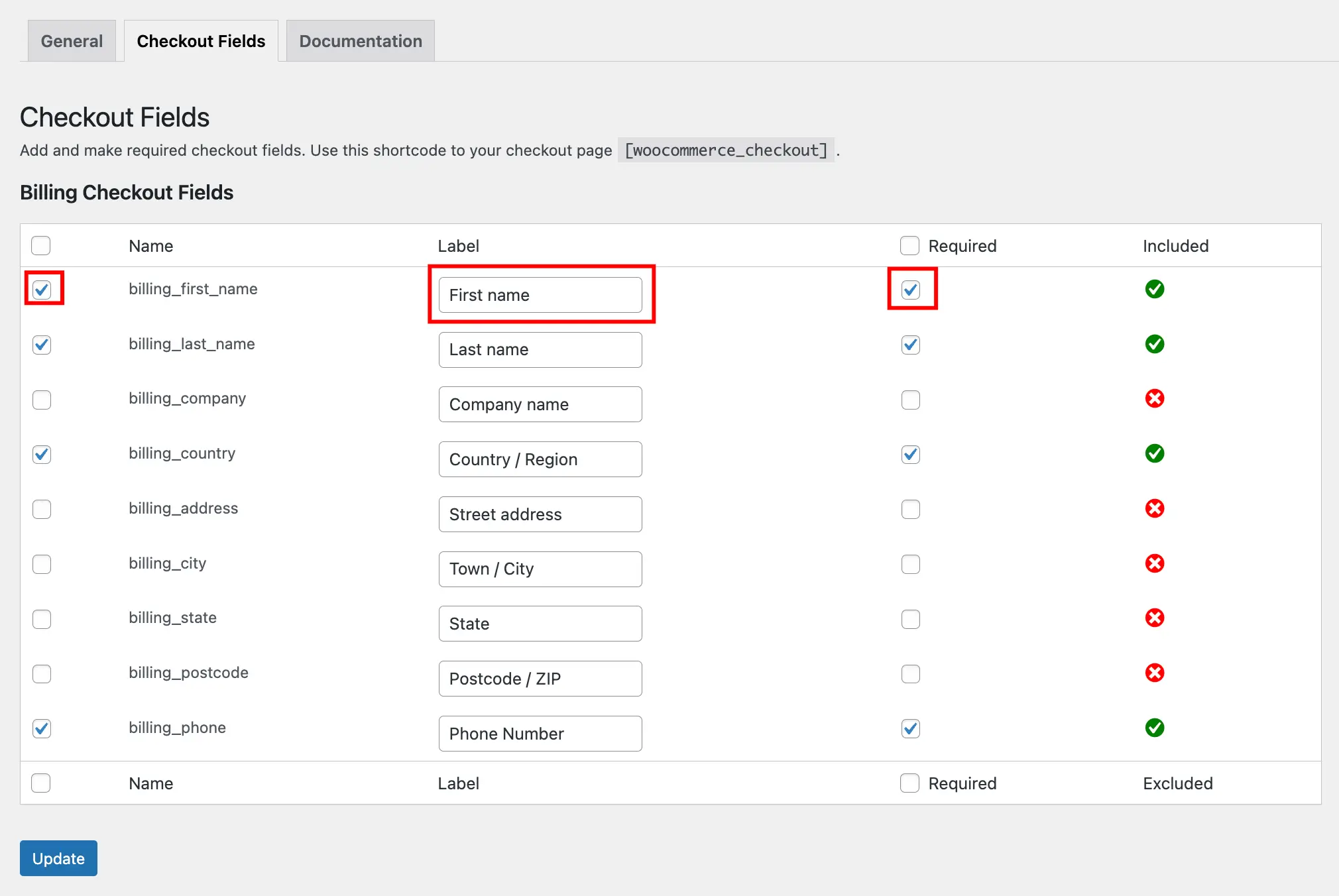
For Each Field You Can:
- Enable/Disable – Check the box to show the field at checkout, uncheck to hide it (most left).
- Update Label – Change the field name customers see (e.g., “First Name” to “Your Name”).
- Set as Required – Check “Required” to make the field mandatory for checkout completion.
Save Settings
Click Update to apply your field configuration.
To use the WC Digital Product Checkout plugin, please add the WooCommerce Classic Checkout Shortcode or Classic Checkout block to your checkout page.
Next Step
Want to remove the order note field? Learn how to remove order notes from the checkout page.