
Need different settings for your blue T-shirt versus your red one? Or hide the XL size but keep other sizes visible? Individual variation settings give you complete control over each variation’s behavior.
Access Variation Settings
Go to your product edit page and expand the specific variation you want to customize. Scroll down to find the variation-level settings inside that panel.
What You Can Control
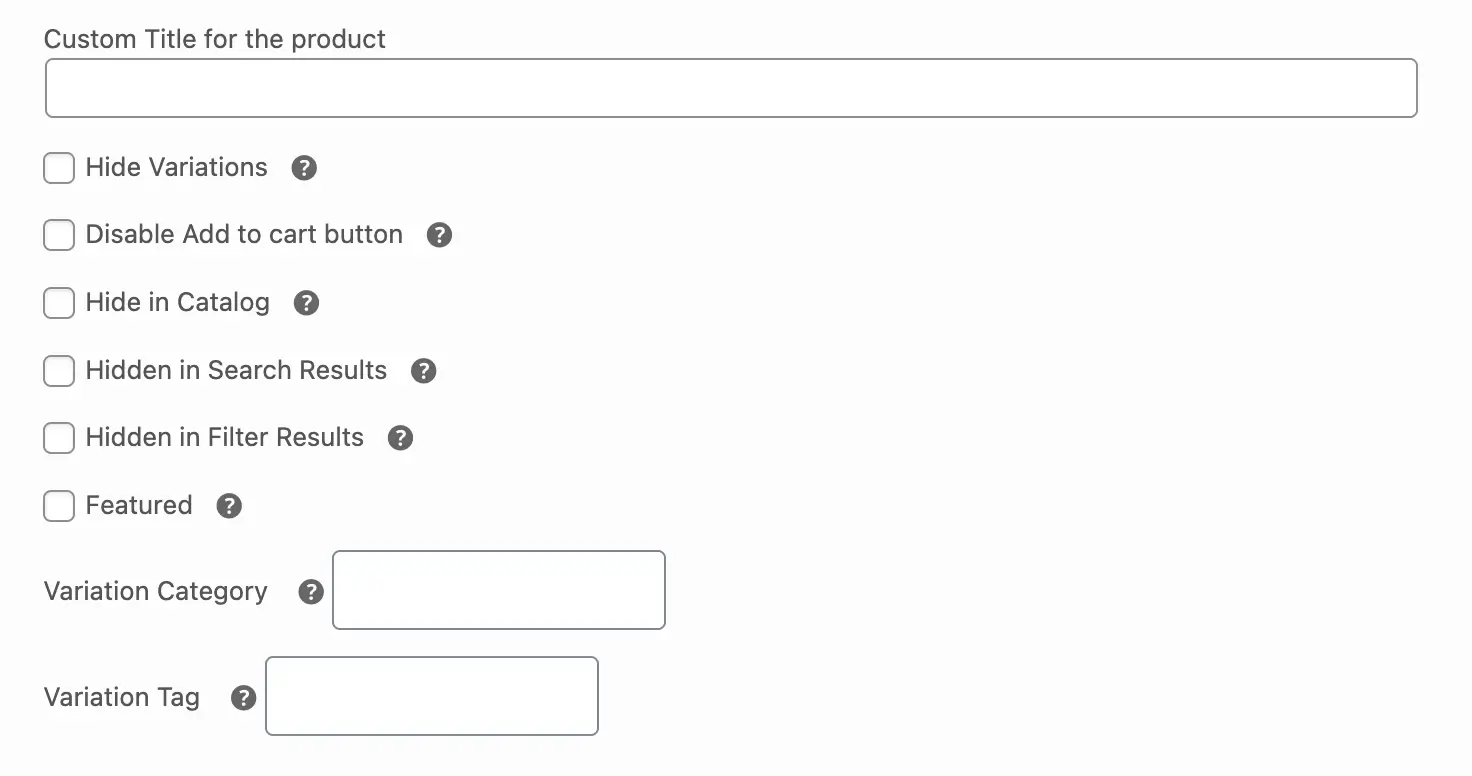
Custom Title for the product
Override the default variation title with a custom name. This lets you create unique, SEO-friendly titles for individual variations instead of using the auto-generated format.
Hide Variation
Make this variation invisible across your entire store while other variations stay visible. Great for temporarily removing out-of-stock options.
Disable Add to Cart Button
Turn off purchasing for this variation only. Customers will see a “Select Options” button instead. Perfect for “Coming Soon” or “Contact for Price” situations.
Hide in Catalog
Keep this variation off catalog pages (shop or category pages) but show it on the main product page. Customers can find it when viewing the full product, but it won’t clutter browsing pages.
Hidden in Search Results
Stop this variation from showing up in site search. Use this for discontinued colors you still need for inventory reasons.
Hidden in Filter Results
Remove this variation from filter results. The variation exists, but filters won’t surface it.
Featured
Promote this variation as a featured item. Featured variations get special visibility, appear in promotional sections, or receive highlighted placement. Think of it as your “bestseller” flag.
Variation Category
Change which categories this variation belongs to. Variations inherit parent categories by default, but you can add different ones or remove inherited categories.
Variation Tag
Add custom tags to organize this variation. Tags help with sorting, filtering, and internal organization. Variations get parent tags by default, but you can customize them here.
Save Your Settings
Click the Update button to save and apply your changes. Your settings will take effect immediately on the front-end of your store.
What’s Next?
You’ve unlocked three control levels: global settings for everything, product-level settings for specific products, and individual variation tweaks.