
After setting up recommendations on product pages, you can extend the experience to the cart. These options control how suggested items appear when customers review their order.
Step-by-Step Instructions
Enable Cart Recommendations
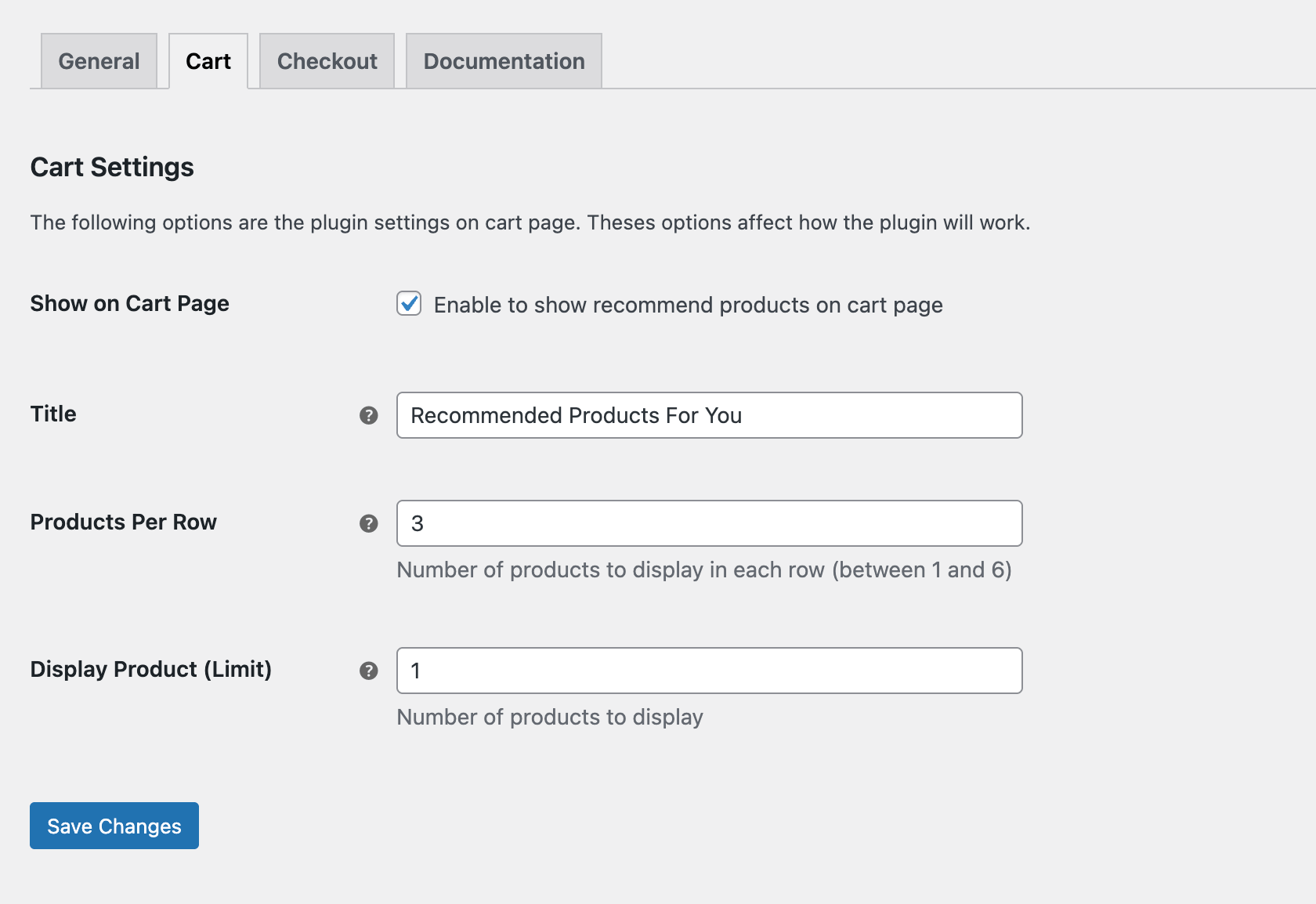
Go to WooCommerce → Product Recommendations → Cart and enable the Show on Cart Page. This activates the recommendation block for the cart.
Configure Layout Settings
- Title: Enter a heading that aligns with the tone and style of your site.
- Products Per Row: Choose how many products appear in each row. The allowed range is one to six.
- Display Product (Limit): Set the total number of recommended products to display.
Save and Test
Click Save Changes after adjusting the settings. Then open your cart page to confirm that the recommendation block appears as expected and aligns with your layout preferences.
Next Step
Move on to Enable Recommendations in Checkout to set up recommendations during the final stage of the purchase.